 Today's Deal
Amazon Deals
Today's Deal
Amazon Deals
 Today's Deal
Amazon Deals
Today's Deal
Amazon Deals
 popular
 10
10
Views Today






Business Name: JPM DIRECT LTD

Business Address: 36 KINGSLEY DRIVE, BIRKENSHAW, BRADFORD, West Yorkshire, BD11 2NE, GB

Business Size: Micro
The Logitech Signature M650 L Wireless Mouse stands out as a top choice for individuals with larger hands. This wireless mouse offers a full-size design that's convenient and comfortable, coupled with innovative features like customizable side buttons and silent clicks. Ideal for multi-device use, it's compatible with PC, Mac, and Chromebooks, ensuring versatility. At an affordable price of $24.99, this mouse combines functionality with budget-friendliness.
The Logitech Signature M650 L offers several benefits that make it an excellent pick for daily tasks. Firstly, it boasts silent clicks, which is a significant advantage in shared spaces or during late-night work sessions. This feature ensures that you can work without disturbing others, making it ideal for both office and home environments. The customisable side buttons enhance productivity by allowing users to assign frequently-used functions, thereby streamlining your workflow. Its compatibility with multiple devices such as PCs, Macs, and Chromebooks adds to its versatility, ensuring seamless transitions between different platforms.
Priced at $24.99, the Logitech Signature M650 L is an affordable choice for users in need of a reliable, full-size wireless mouse. Given its advanced features, such as Bluetooth connectivity, silent clicks, and customisable side buttons, it offers excellent value for money. Its robust build quality and 2-year battery life mean you won't have to worry about frequent replacements, further enhancing its cost-effectiveness.
The Logitech Signature M650 L is specifically designed for users with large hands, making it a perfect fit for those who often find standard mice too small. Its ergonomic design ensures a comfortable grip, reducing strain during extended use. Left-handed users will also find this mouse particularly accommodating, as it offers a version designed specifically for left-handed operation, a feature that is often overlooked by other brands.
This mouse is packed with features that make it stand out. For starters, its silent click buttons provide a noiseless operation, a feature that many users find invaluable. The customisable side buttons allow for personalized settings, improving workflow efficiency. Its connectivity options are also impressive, supporting both Bluetooth and a superior 'Bolt' dongle that ensures a stable and reliable connection. The mouse's 2-year battery life is another highlight, offering long-term usage without frequent battery changes.
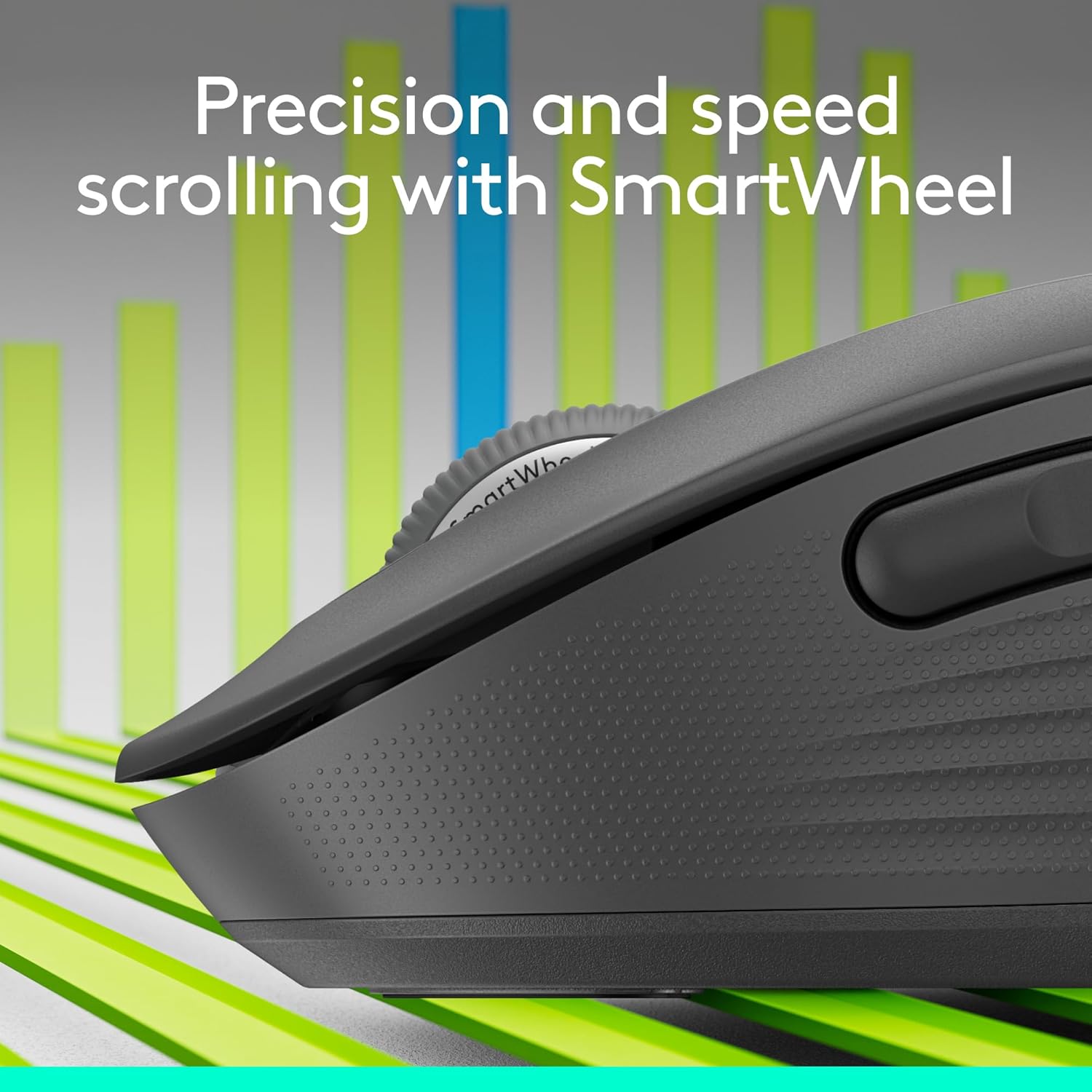
The Logitech Signature M650 L enhances user experience through its ergonomic design, making it comfortable for extended use. The rubber grips on the sides add to the comfort, ensuring a firm hold. The mouse's tactility is another strong point; the soft, silent clicks make for an effortless user experience. The scroll wheel's responsiveness is also commendable, providing smooth navigation through web pages and documents.
Users can customize several settings on the Logitech Signature M650 L to suit their needs. The side buttons are programmable, allowing you to assign functions like 'back' and 'forward' for web browsing or even more complex commands for specific applications. This level of customization can significantly enhance your productivity by tailoring the mouse's functions to your workflow.
You should consider upgrading to the Logitech Signature M650 L if you're experiencing discomfort with your current mouse, particularly if you have larger hands. This mouse offers an ergonomic design that alleviates strain during prolonged use. Additionally, if you're looking for a mouse with silent operation and customizable features, the M650 L is an excellent upgrade. Its 2-year battery life also makes it a wise choice if you're tired of frequent battery changes.
The Logitech Signature M650 L can be purchased from various retailers both online and offline. Popular online platforms like Amazon, Best Buy, and Logitech's official website offer this mouse. Physical electronic stores and outlets also stock this model, making it easily accessible. Always compare prices to find the best deal, as special promotions and discounts may be available.
The Logitech Signature M650 L Wireless Mouse is priced at $24.99. Despite its affordable price, it offers a range of high-end features such as silent clicks, customizable side buttons, and Bluetooth connectivity. This makes it a cost-effective option for those seeking a reliable, full-sized, and multi-functional mouse.
The Logitech Signature M650 L comes with customizable side buttons, typically two buttons on the left side, that can be programmed to perform various functions. These buttons can be set up through the Logitech Options software, allowing you to assign different commands based on your needs. This makes the mouse highly versatile and user-friendly.
User reviews highlight several best features of the Logitech Signature M650 L. Many users appreciate the silent click functionality, making it ideal for quiet environments. The customizable side buttons are another favorite, as they offer a tailored user experience. The ergonomic design is also frequently praised, particularly by users with larger hands who often struggle with finding a comfortable mouse.
When compared to other wireless mice, the Logitech Signature M650 L stands out for its ergonomic design, silent clicks, and customizable side buttons. While some users find its size smaller than expected, especially when compared to models like the Logitech M510, the M650 L’s other features more than compensate. Its 2-year battery life and multi-device compatibility give it an edge over many competitors in the same price range.
1.
Yes, it is compatible with both PC and Mac as well as Chromebooks.
2.
The battery life is up to 2 years, reducing the need for frequent replacements.
3.
Yes, the side buttons are fully customizable using Logitech Options software.
4.
Yes, there is a left-handed version available, making it suitable for left-handed individuals with larger hands.
If you're in search of a comfortable, budget-friendly, and feature-rich mouse, the Logitech Signature M650 L Wireless Mouse is a solid choice. Designed for large hands, its ergonomic design, silent clicks, and customizable buttons make it highly functional. With a price tag of $24.99, this mouse offers exceptional value for money, making it an excellent addition to your workspace.
Considering its numerous features and competitive pricing, the Logitech Signature M650 L Wireless Mouse is a worthy investment. Whether you need a reliable mouse for everyday tasks or a versatile device for multi-device use, this model meets various needs efficiently. Its durable build, long battery life, and user-friendly design make it a must-have for anyone seeking a high-quality wireless mouse.
Only In TestMarket
Average rating
 5
5
14
4
2
3
0
2
0
1
0


 Facebook
 Twitter
 Linkedin
 Reddit
 Pinterest




Mia Martinez
Oct 17, 2024
Got the Logitech Signature M650 L for my office setup, and it has been working well. The ergonomic design makes it comfortable for long hours of use, and it fits nicely in my larger hand. The silent clicks are a standout feature—no more annoying click sounds during meetings. The Bluetooth connectivity is reliable, and the customizable side buttons have proven to be very useful.
The only slight downside is the color; I expected black but received a grey mouse. However, it performs excellently, and the 2-year battery life is a big plus. It’s a solid, functional mouse for the price.
Shipping
Item Quality
Customer Service
Packaging
Michael Powell
Oct 15, 2024
Logitech Signature M650 L has proven to be a good choice for daily use. The fit is excellent for my larger hand, and it provides a comfortable grip. Setting it up with my PC was easy and quick, and the connection remains stable.
The silent clicks are my favorite feature, making it ideal for shared workspaces or late-night use. The customizable side buttons enhance productivity, allowing for quick access to commonly used functions. It's grey rather than black, which is a minor aesthetic detail.
Overall, it’s a durable, efficient mouse that performs well in daily tasks.
Shipping
Item Quality
Customer Service
Packaging
Mason Jenkins
Oct 18, 2024
Recommended
The Logitech Signature M650 L is a practical addition to my work setup. The ergonomic design and comfortable fit for larger hands make it easy to use for extended periods. Setting it up was quick and easy, and the Bluetooth connection is stable.
The silent click feature is great for maintaining a quiet environment, and the customizable side buttons are very useful. While the mouse is grey rather than black, this is a minor issue. It feels sturdy and well-constructed, and the claimed 2-year battery life is a huge plus.
Highly recommended for those in need of a dependable, quiet wireless mouse.
Shipping
Item Quality
Customer Service
Packaging
Oliver Powell
Oct 14, 2024
Having used the Logitech Signature M650 L for several days, I can say it's a solid mouse for its price range. I appreciated the simple, eco-friendly packaging it came with. It fits well in my larger hand and has a very comfortable design. The silent click feature is highly convenient, reducing noise in my shared workspace.
The customizable side buttons add to its functionality, making tasks quicker to perform. The scroll wheel is smooth, and the Bluetooth connectivity is reliable. Color-wise, it’s more grey than black, but that doesn't affect its performance. Overall, it's a good buy and meets my expectations well.
Shipping
Item Quality
Customer Service
Packaging
Oliver Ross
Oct 12, 2024
After a few weeks of using the Logitech Signature M650 L, I'm happy with this purchase. The order process was straightforward, and it arrived in simple, recyclable packaging. Setting it up on multiple devices was hassle-free, thanks to Bluetooth. Silent clicks make it ideal for quiet environments, like my home office.
The mouse handles well in my larger hand, and the customizable side buttons have added efficiency to my workflow. The color being more grey than black might be an issue for some, but it’s a minor detail. In terms of performance and comfort, it’s definitely a win.
Shipping
Item Quality
Customer Service
Packaging
Sofia Ross
Oct 13, 2024
The Logitech Signature M650 L is my new go-to mouse for both work and personal use. Setting it up was very easy, and it connected seamlessly to my Mac via Bluetooth. The fit of this mouse in my larger hand is comfortable, though it’s not exceptionally large. Silent clicks are fantastic—no more loud clicks during late-night work.
Customizable side buttons are a nice feature, helping with quick actions in various applications. It’s grey rather than black, but this minor detail doesn't take away from its functionality. Overall, a solid mouse, especially at this price point.
Shipping
Item Quality
Customer Service
Packaging
Lucas Cooper
Oct 16, 2024
Logitech Signature M650 L has been a good investment for my work needs. The mouse arrived promptly and was well-packaged. Connecting it to my PC was a breeze, and I've had no issues with Bluetooth stability.
The silent clicks are particularly great, as I'm in meetings often and I don't want to cause distractions. The ergonomic design fits my large hand nicely. The customizable buttons have been helpful, allowing for a more efficient workflow.
The only letdown is the mouse’s color; I was expecting black but got grey. Nevertheless, it performs well and gets the job done.
Shipping
Item Quality
Customer Service
Packaging
Mia Adams
Oct 18, 2024
Bought the Logitech Signature M650 L because of its ergonomic design and battery life. The 2-year battery lifespan was a huge selling point, and though I can't verify this yet, it's reassuring to know that I won't be replacing batteries frequently. The mouse was easy to set up, and the Bluetooth connection is reliable. It fits my larger hand quite well, providing comfort during long use.
The silent clicks are a major plus, making it perfect for shared spaces. It's grey rather than black, which might be a downside for some, but it's not an issue for me. Overall, it’s a good, reliable mouse.
Shipping
Item Quality
Customer Service
Packaging
David Kelly
Oct 12, 2024
The Logitech Signature M650 L Wireless Mouse is a decent addition to my tech arsenal. The order process was smooth, and the packaging was minimalistic yet robust. I've been using it with my Chromebook, and the Bluetooth connection has been flawless.
The silent clicks are incredibly efficient, especially in my shared office space. The mouse fits comfortably in my larger hand, although it's not as large as I initially expected. The customizable side buttons add an extra layer of convenience for shortcuts.
The color is grey instead of black but still looks sleek. It's a practical, well-built mouse worth considering.
Shipping
Item Quality
Customer Service
Packaging
Grace Collins
Oct 14, 2024
Ordered the Logitech Signature M650 L for its silent click feature and ergonomic design. It arrived quickly and was straightforward to set up. The mouse fits well in my large hand, and the feel of it is quite premium for its price. The customizable side buttons are a nice touch, making it easy to navigate through different programs.
The Bluetooth connectivity is strong and hasn't dropped a connection yet, even when I switch between devices. My only minor critique is the color; it's a bit grey, not as black as I expected. All things considered, this has been a great purchase for my daily use.
Shipping
Item Quality
Customer Service
Packaging
Daniel Harris
Oct 13, 2024
Recommended
Using the Logitech Signature M650 L has been a positive experience overall. The packaging was simple, yet secure and eco-friendly. Setting it up was a breeze; it connected to my laptop without any hiccups. The mouse feels solid and fits well in my larger hand.
The silent click functionality is fantastic in office settings, and the customizable buttons have been a huge help, especially when working on multiple projects. The scroll wheel is smooth and precise, which is crucial for my graphic design work. If I had to point out a downside, it would be the color—expected it to be black but got a grey-ish mouse instead. Still, highly recommended for those in need of a trustworthy wireless mouse.
Shipping
Item Quality
Customer Service
Packaging
Michael Powell
Oct 13, 2024
I've had the Logitech Signature M650 L Wireless Mouse for about a month now and I'm pretty satisfied with it. The mouse pairs easily with both my Mac and PC, thanks to its Bluetooth support. The silent clicks are a godsend when working in a quiet library or at night.
I also love the customizable side buttons; they’ve greatly improved my productivity by allowing me to program shortcuts. The mouse is well-designed ergonomically, fitting comfortably in my larger-than-average hand. One minor issue is that it's not completely black—it has a grey tint, but that doesn’t bother me much.
Overall, a very good mouse for everyday use.
Shipping
Item Quality
Customer Service
Packaging
Oliver Peterson
Oct 17, 2024
Decided to give the Logitech Signature M650 L a try after my old mouse finally gave out. The ergonomic design caught my eye, especially since I have larger hands. The comfort level is definitely high; I can use it for hours without feeling any discomfort.
The silent click feature is another big win for me since I often work late and don't want to wake my partner. The Bluetooth connectivity is rock-solid, and I appreciate the long battery life, which spares me from constant battery changes. The mouse is slightly grey, which was a surprise since I expected black, but it's not a deal-breaker.
All in all, a solid mouse for the price.
Shipping
Item Quality
Customer Service
Packaging
Logan Powell
Oct 12, 2024
Purchased the Logitech Signature M650 L for my work-from-home setup. The setup was straightforward, and it paired with my Chromebook instantly via Bluetooth. The mouse feels sturdy, with good build quality that promises durability. One of the best features is the silent clicks.
I often have to take calls and this mouse keeps my environment quieter. The customizable side buttons are also very useful; I set them for copy and paste, which has streamlined my workflow considerably. However, I do wish the mouse was a bit heavier. Overall, a great addition to my home office.
Shipping
Item Quality
Customer Service
Packaging
Lucas Stewart
Oct 18, 2024
The Logitech Signature M650 L Wireless Mouse exceeded my expectations in several ways. The order process was smooth, and the mouse arrived quickly in eco-friendly packaging. I've been using it on my PC and Mac, and the Bluetooth connectivity is seamless.
The silent clicks are a fantastic feature; it’s amazing how much less disruptive it is for coworkers. The battery life claim of 2 years is impressive—I haven't had it long enough to confirm, but knowing I won't have to worry about frequent replacements is reassuring. The mouse fits comfortably in my larger hand, and the soft rubber grips make it pleasant to use for extended periods.
The scroll wheel is very responsive too. Overall, it's a solid, well-performing mouse.
Shipping
Item Quality
Customer Service
Packaging
Abigail Kelly
Oct 16, 2024
Recommended
I've been using the Logitech Signature M650 L Wireless Mouse for a few weeks now, and I'm pretty happy with the purchase. This mouse is perfect for longer sessions thanks to its comfortable size and shape. My hands are larger than average, and the mouse fits perfectly, reducing any strain. While it's marketed as full-size, it's not overly bulky but still provides a nice weight distribution that feels great in hand.
The silent clicks are a standout feature, especially when working late at night and not wanting to disturb others. The customizable side buttons also add to its versatility. One small downside I noticed is that it's slightly grey instead of black, but it still looks sleek. Highly recommend this for anyone needing a reliable, quiet mouse.
Shipping
Item Quality
Customer Service
Packaging