 Today's Deal
Amazon Deals
Today's Deal
Amazon Deals
 Today's Deal
Amazon Deals
Today's Deal
Amazon Deals
 popular
 8
8
Views Today
 1
1
Favorites Today






Business Name: BRICKLAYING LIMITED

Business Address: 5A, 1/F, WANG FU BUILDING, NO. 5-7 CHATHAM COURT, TSIM SHA TSUI, KOWLOON, 999077, HK, MERIT INDUSTRIAL CENTRE, FLAT/RM 17 BLK B 12 / F, 94 TO KWA WAN ROAD, KOWLOON CITY, 999077, HK

Business Size: Micro
The TECKNET Wireless Mouse boasts an innovative design and superior connectivity through Bluetooth 5.2/3.0, making it an ideal choice for seamless performance. It not only promises faster work efficiency but also comes in appealing colors like pink. Users have commended its reliability and easy setup, confirming its efficiency and convenience for all computer needs at a budget-friendly price.
TECKNET's wireless mouse offers valuable benefits that make it a significant upgrade for your tech accessories. Its Bluetooth connectivity ensures that you won’t be tethered to your device via a cumbersome USB. This means you can maintain productivity without worrying about losing small components. Reviewers have praised its responsiveness, noting how it accelerates their work speed. Moreover, its aesthetic appeal provides users with a stylish piece of tech that fits well with modern desks.
At the competitive price of $11.03, the TECKNET Wireless Mouse is an affordable option that doesn’t compromise on performance or style. For those looking for high-end functionality on a budget, this mouse is an ideal choice. The cost-efficiency combined with its durable design marks it as a smart investment for both casual users and professionals. Its affordability doesn’t sacrifice quality, making it perfect for anyone needing a reliable wireless mouse without stretching their budget.
The TECKNET Wireless Mouse stands apart with its seamless blend of design, functionality, and affordability. Unlike other models, it guarantees no disruptions due to lost USB receivers, thanks to its Bluetooth technology. Additionally, its quick response time enables a smoother user experience, enhancing productivity. With positive feedback on easy setup and usability, TECKNET offers a hassle-free experience that is hard to find in competitors at this price range.
The TECKNET Wireless Mouse is equipped with cutting-edge Bluetooth 5.2/3.0, ensuring a strong and consistent connection to your devices. Its enhanced responsiveness significantly improves your workflow, allowing you to navigate efficiently. The ergonomic design reduces hand strain and is comfortable to use for long periods. Moreover, it stands out in style, offering colors like pink to fit personal preferences. The compact and portable nature of the mouse makes it perfect for on-the-go professionals and casual users alike.
Setting up your TECKNET Wireless Mouse is a straightforward process. Begin by ensuring your Bluetooth is activated on the device you intend to use. Once the mouse is powered, locate it within the Bluetooth settings and initiate the connection. Users have reported the entire setup process takes less than a minute, making it exceptionally user-friendly. Once connected, use your device as normal, and enjoy the convenience and efficiency the TECKNET mouse provides. A quick setup means more time focusing on your tasks without technical delays.
Selecting the right version of the TECKNET Wireless Mouse is simplified by its consistent quality across models. Each mouse version under the TECKNET brand is designed to deliver exceptional results with seamless connectivity. If color is a factor, consider the available variations like pink, which adds a touch of individuality. Performance-wise, you can rely on any version that includes the advanced Bluetooth feature, ensuring top-tier service during your computer-based tasks.
The TECKNET Wireless Mouse can often be found online, with discounts or offers that make purchasing even more budget-friendly. Consider checking during major retail events such as Black Friday, Cyber Monday, or holiday sales. However, given its already affordable price point of $11.03, it remains accessible throughout the year. Purchasing when you need a reliable, functional mouse will ensure you get the best out of every rate.
You can purchase the TECKNET Wireless Mouse from various online platforms and retail websites. Major online marketplaces often stock this model, providing options for direct delivery. Checking customer reviews on these platforms can guide your purchase decisions and provide insights into reliability and user satisfaction. Ensure the platform offers a return warranty for peace of mind and to accommodate any potential shipping issues.
For $11.03, the TECKNET Wireless Mouse delivers remarkable value. Its Bluetooth capability eradicates the need for USB receivers, eliminating potential device limitations. Users experience increased efficiency and comfort, thanks to the mouse’s responsive nature and ergonomic design. The integration of sleek design alongside robust functionality makes this product an exceptional purchase. Its affordability amplifies the perceived value, especially for those seeking cost-effective electronics without compromising on performance.
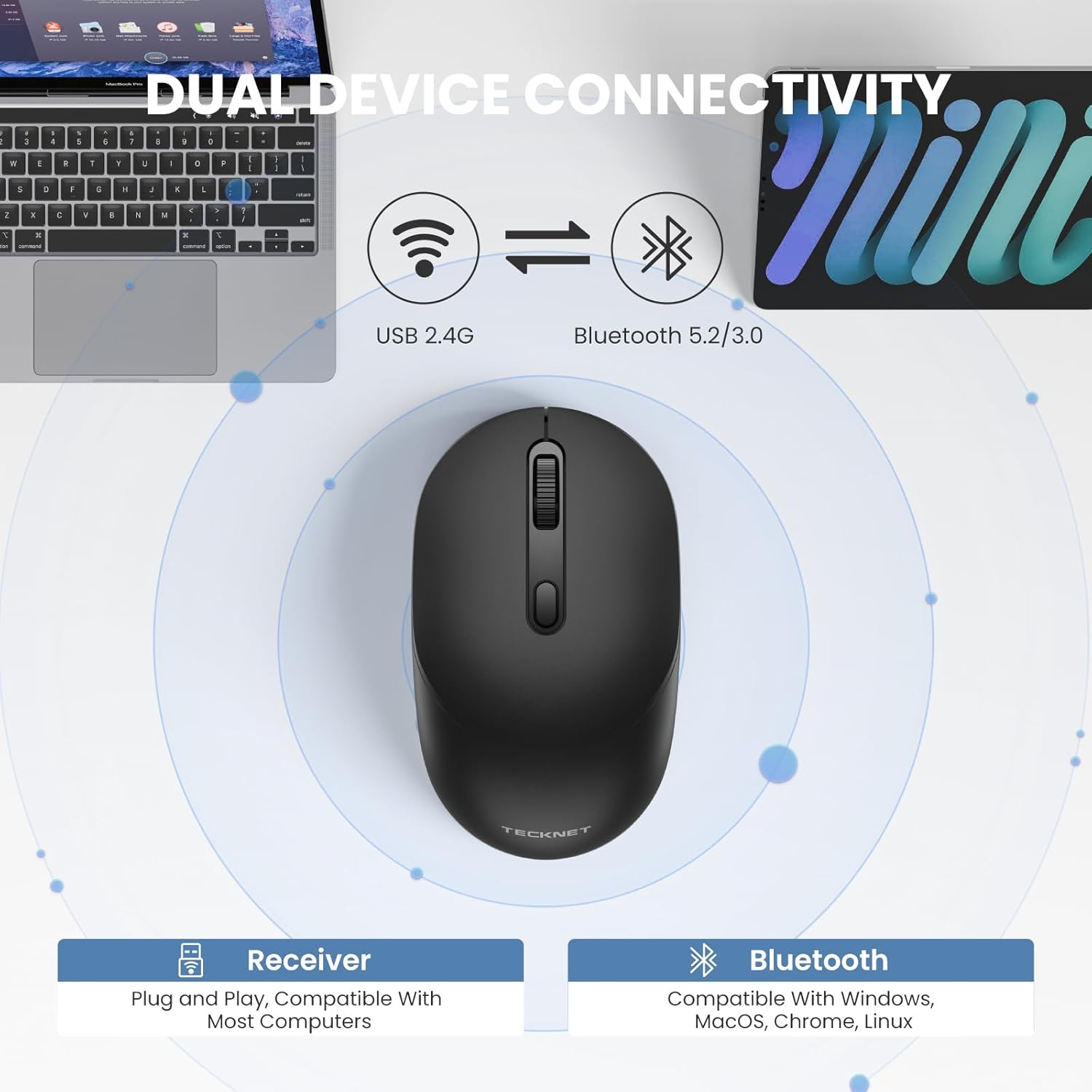
While the TECKNET Wireless Mouse is designed for single-device connectivity to ensure optimal performance, swapping between devices is made straightforward through Bluetooth. Disconnect from one device to easily connect to another, offering flexibility across multiple computing platforms. This feature is particularly useful for users managing multiple sets at different times, fostering versatility and improving workflow transitions.
One standout feature of the TECKNET Wireless Mouse is its advanced Bluetooth 5.2/3.0 connectivity, providing reliable and rapid communication with devices. This ensures uninterrupted workflows, which are critical for any task from simple browsing to complex work projects. Coupled with its sleek design and user-friendly setup, this feature makes the TECKNET Wireless Mouse a preferred choice for modern tech users seeking efficiency and style in their electronics.
When juxtaposing the TECKNET Wireless Mouse with competitors, it consistently outshines in terms of cost-effectiveness, ease of use, and connectivity options. Many competing models offer similar functionality but often at a higher price point. Additionally, they may lack the seamless Bluetooth integration TECKNET provides. By combining essential performance features and a user-friendly design, TECKNET successfully targets consumers desiring dependable outcomes without a hefty financial burden.
Potential buyers frequently ask about setup simplicity, overall performance, and connectivity reliability. Many are curious about the Bluetooth capabilities and how it affects daily use. Common responses indicate the mouse offers an uncomplicated setup with enduring connectivity, enhancing user experience greatly compared to alternative models. Concerns about longevity and design satisfaction are quickly allayed by glowing user reviews praising the practical benefits and overall experience.
If you are seeking a wireless mouse that delivers on performance, ease of use, and affordability, the TECKNET Wireless Mouse is an excellent choice. It bridges the gap between high efficiency and budget-friendly pricing, making it well-suited for diverse user needs, whether professional requirements or casual usage. With positive reviews highlighting its connectivity and rapid setup, it’s clear TECKNET succeeds in offering an exceptional product for tech enthusiasts and everyday users alike.
In an era where technology is pivotal in daily operations, investing in a device that enhances efficiency is crucial. The TECKNET Wireless Mouse, priced reasonably while packing advanced features, stands as a perfect balance of cost and functionality. Its user-centric design and superior connectivity make it a prudent choice for those looking to upgrade their tech gear without making a significant financial investment.
Only In TestMarket
Average rating
 5
5
11
4
4
3
0
2
0
1
0


 Facebook
 Twitter
 Linkedin
 Reddit
, Superior Connectivity Mouse for Seamless Performance&media=https://testmarket.io/storage/deal/amazon/2026-04-16/fa723ef9b42d78da2955364818d2a4d6.jpg) Pinterest
Pinterest




Christopher Scott
Apr 12, 2026
As a tech enthusiast, I was quite impressed with the TECKNET mouse's functionality. The dual Bluetooth options (BT5.2/3.0) ensure compatibility with a wide range of devices, and it pairs almost instantly.
This mouse definitely balances affordability with high performance.
Shipping
Item Quality
Customer Service
Packaging
David Jenkins
Apr 13, 2026
I've had the TECKNET mouse for over a month, and it's remained dependable throughout. Its Bluetooth connection has been unwavering, offering smooth navigation across multiple screens. The responsiveness is excellent, a noteworthy advantage at such a budget-friendly price.
Shipping
Item Quality
Customer Service
Packaging
Henry Reed
Apr 09, 2026
The TECKNET Wireless Mouse is a perfect blend of style, utility, and value. It connected to my MacBook in an instant and has a long battery life, which is fantastic for someone like me who often forgets to charge devices.
The pink finish is a bonus that jazzes up my workspace.
Shipping
Item Quality
Customer Service
Packaging
James Cooper
Apr 14, 2026
I saw the TECKNET mouse online and was attracted by the price and Bluetooth feature. The delivery was quicker than anticipated, and its plug-and-play nature allowed me to start using it immediately.
It's been a great tool for my professional use, enhancing my work efficiency.
Shipping
Item Quality
Customer Service
Packaging
Sofia Peterson
Apr 13, 2026
This mouse exceeded my expectations in terms of connectivity and performance. The TECKNET Bluetooth Mouse connected seamlessly to my Windows laptop, and the speed at which it processes movements is impressive. For such a low price, it feels like a premium product.
Shipping
Item Quality
Customer Service
Packaging
Oliver Powell
Apr 11, 2026
I'm quite satisfied with my TECKNET Wireless Mouse purchase. The setup only took a few minutes, and the connection has been consistently reliable.
It's lightweight and has precise click responsiveness, which is critical for my work in image editing software.
Shipping
Item Quality
Customer Service
Packaging
Avery Rivera
Apr 14, 2026
I replaced my old mouse with the TECKNET Bluetooth Mouse and noticed immediate improvements. It's faster and more precise, making everyday tasks more efficient. The innovative Bluetooth 5.2 technology ensures that it doesn't miss a beat, even in crowded wireless environments.
Shipping
Item Quality
Customer Service
Packaging
William Scott
Apr 13, 2026
TECKNET has certainly delivered on its promise of seamless performance with this wireless mouse. I've been using it primarily for gaming, and the lag-free experience has enhanced my gameplay significantly. The mouse feels sturdy and well-built despite its affordable price.
Shipping
Item Quality
Customer Service
Packaging
Emma Brooks
Apr 14, 2026
My wife loved the TECKNET mouse because it's easy to use, with no fussy installation process, and it matched her aesthetic sense with its lovely pink color. This Bluetooth mouse feels responsive and precise, especially during graphic design tasks where accuracy is crucial.
Shipping
Item Quality
Customer Service
Packaging
Charlotte Stewart
Apr 13, 2026
I bought the TECKNET mouse for my home office setup, and it's been a great addition. The Bluetooth pairs quickly with my devices, and I appreciate the added flexibility to switch between laptops.
The mouse also has an ergonomic design that reduces hand fatigue during extended use.
Shipping
Item Quality
Customer Service
Packaging
Jacob Sanders
Apr 15, 2026
Initially skeptical about a mouse at this price point, I was pleasantly surprised with its quality. The TECKNET Wireless Mouse not only connects effortlessly but also maintains connection stability even across different devices. It's comfortable to hold and definitely worth every penny.
Shipping
Item Quality
Customer Service
Packaging
Sofia Ross
Apr 15, 2026
I often misplace my USB receivers and needed a mouse that wouldn't leave me stranded. The TECKNET mouse is perfect for me because of its reliable Bluetooth connectivity. I've noticed a marked improvement in my productivity as the mouse is very responsive and the design is comfortable for long hours of use.
Shipping
Item Quality
Customer Service
Packaging
Matthew Lewis
Apr 12, 2026
I decided to try the TECKNET Wireless Mouse thanks to its competitive price and its dual Bluetooth options. The setup was incredibly quick and easy—just a minute to get connected. It's been working like a charm since day one, with a satisfyingly smooth performance.
Shipping
Item Quality
Customer Service
Packaging
Olivia Brown
Apr 14, 2026
The ordering process for the TECKNET Bluetooth Mouse was straightforward, and the shipping was impressively fast. It arrived in neat, compact packaging with clear instructions. Syncing it with my laptop was a breeze, taking just seconds, and now I can enjoy an uninterrupted workflow with its superior connectivity.
Shipping
Item Quality
Customer Service
Packaging
Michael Brown
Apr 14, 2026
I've been using the TECKNET Wireless Mouse for about a week now, and it is a remarkable improvement over my previous mouse. The Bluetooth 5.2 connectivity ensures a seamless connection, and I've experienced zero lag while working. It's lightweight, responsive, and perfectly suited for my daily tasks.
The pink color also adds a nice touch to my desktop setup.
Shipping
Item Quality
Customer Service
Packaging