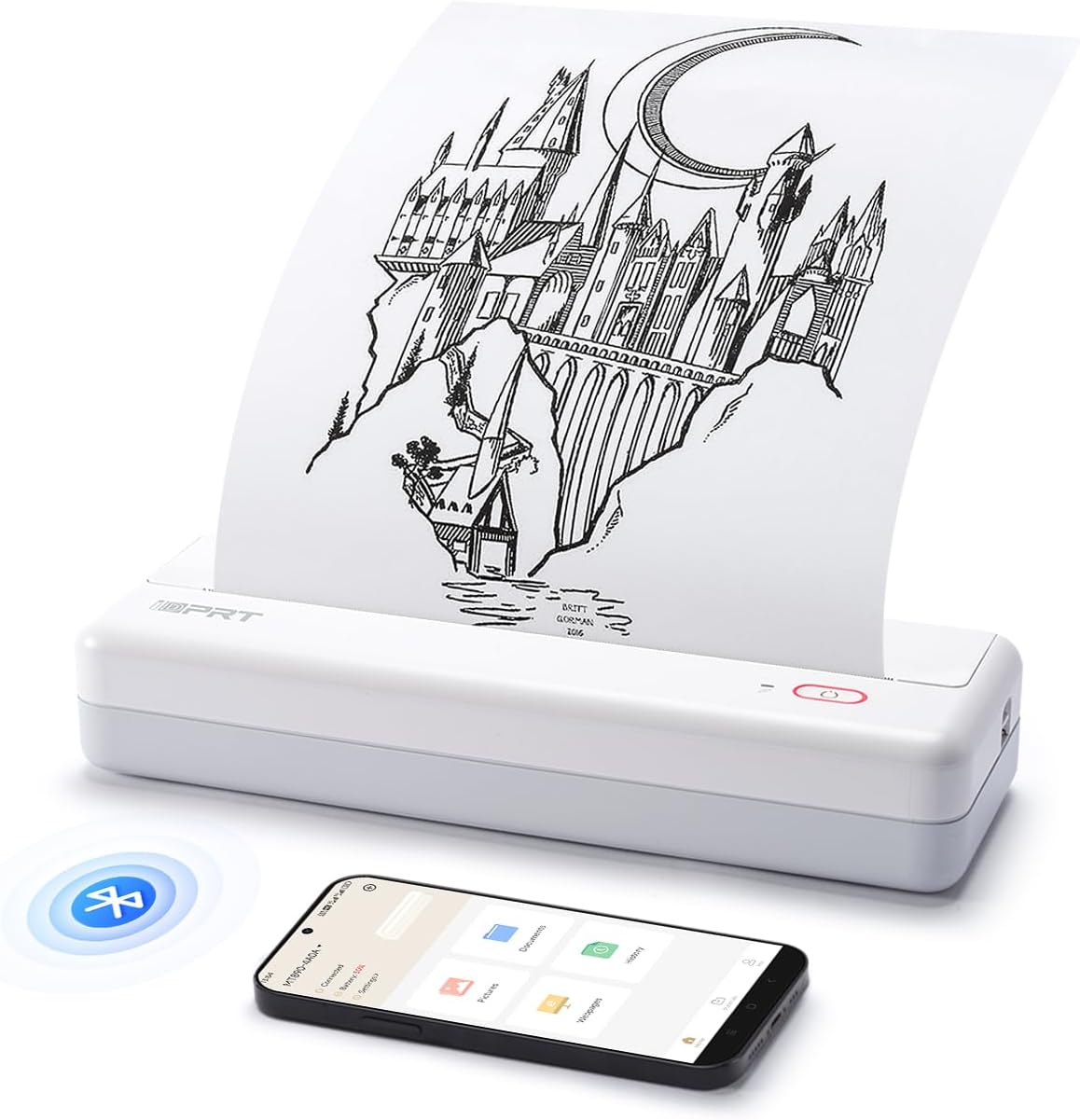
iDPRT MT890 Portable Wireless Printer - with Thermal A4 Paper, Bluetooth Inkless Printer for Travel/Home, Support US Letter&A4&A5 Size, Mobile Printer Compatible with iOS, Android & Laptop - White - Testmarket Special Deals
iDPRT MT890 Portable Wireless Printer - with Therm...

iDPRT MT890 Portable Wireless Printer - with Thermal A4 Paper, Bluetooth Inkless Printer for Travel/Home, Support US Letter&A4&A5 Size, Mobile Printer Compatible with iOS, Android & Laptop - White

$84.99 $119.99 29%
briefcase

Business Name: Xiamen HanXiaoYin Trading Co., Ltd

location

Business Address: 象屿路93号厦门国际航运中心C栋, 4层431单元G, 厦门, 自由贸易试验区, 福建, 361006, CN

buildings

Business Size: Micro

Product Details
  • ADVANCED INKLESS TECHNOLOGY: iDPRT MT890 portable A4 thermal printer uses the latest inkless printing technology; This technology achieves high-speed printing, it only takes 5-8 seconds to print an A4 paper without affecting the print quality
  • INNOVATIVE BUILT-IN ROLL PAPER DESIGN: The printer is equipped with a more portable thermal roll paper; You can not only print on A4 size, but also print on any length as needed; MT890 provides a serrated tearing knife to help tearing off the paper
  • FREE APP IS POWERFUl: iDPRT MT890 thermal printer supports Laptop Mac, Windows, Linux, Chrome os and mobile phone connection; and the "HerePrint" APP is free, it can provide a wealth of functions, allowing you to get a more creative printing experience
  • EASY TO CONNECTION: Computer print you only need to connect the USB cable and go to the official website of iDPRT to download the corresponding printer driver to print, which is convenient and fast
  • COMPACT AND PORTABLE: For a printers,12.4 x 4.8 x 2.7 inch is very lightweight and portable, it can be placed in a laptop briefcase, backpack or suitcase, especially suitable for traveling, working out, etc; Anytime and anywhere
  • CELL PHONE START PRINT: Step 1: Download APP "HerePrint"; Step 2: Turn on the MT890 and make a Bluetooth connection in the APP; Step 3: Click the "+" sign to complete the device connection and select the file type to start print
  • PC STARTS PRINTING: Step 1:Please download and install the MT890 driver from the iDPRT website; Step 2: Use the USB cable to connect the MT890 printer to your computer; Step 3: Select and open your document, and choose iDPRT MT890 in the printer list
Promotions
Deals Promotions Deals Promotions Deals Promotions
Promote Your Deals

Coupons, and Products on our website now.

apply now
Deals Promotions Deals Promotions
Explore Products

Coupons, and Products on our website now.

apply now
go top icon

Cookies Policy

We use cookies to improve your browsing experience on our website. By continuing to use this site, you agree to our use of cookies.

Privacy Policy