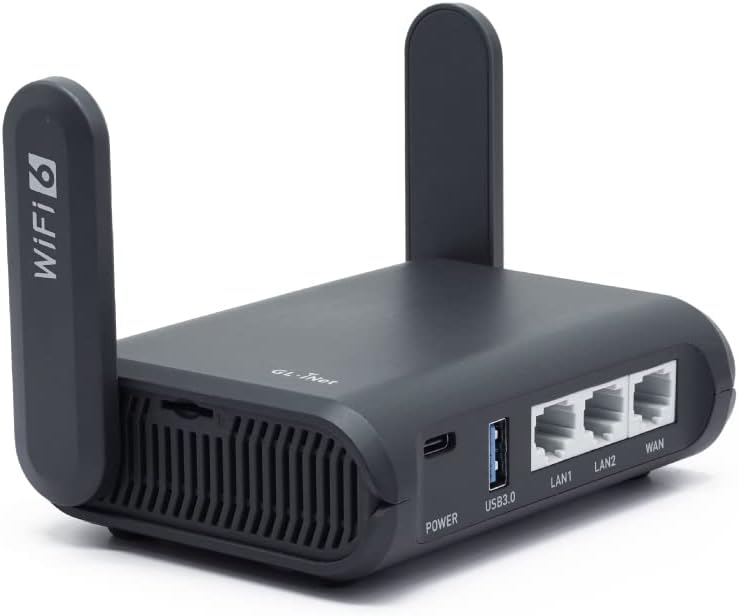
GL.iNet GL-AXT1800(Slate AX) Portable Gigabit Travel Router, Pocket-Sized, Wi-Fi 6, Extender/Repeater for Hotel&Public Network Storage, VPN Client&Server, OpenWrt, Adguard Home, USB3.0,TF Card Slot - Testmarket Special Deals
Deals Trends Proviews Blog
Company
Are you a Seller?
Login Sign up
GL.iNet GL-AXT1800(Slate AX) Portable Gigabit Trav...

GL.iNet GL-AXT1800(Slate AX) Portable Gigabit Travel Router, Pocket-Sized, Wi-Fi 6, Extender/Repeater for Hotel&Public Network Storage, VPN Client&Server, OpenWrt, Adguard Home, USB3.0,TF Card Slot

£85.99 £108.00 20%
GL.iNet Technologie

GL.iNet Technologie

danger
rating_star_full.svg rating_star_full.svg rating_star_full.svg rating_star_full.svg rating_star_seventy_five.svg
4.72
deal_rating_info
briefcase

Business Name: GL Technologies (Hong Kong) Limited

location

Business Address: Flat/RM 601, Building 5W, Hong Kong Science Park, Shatin, NT, 00000, HK

buildings

Business Size: Micro

Product Details
  • 【Fast and Secure Browsing】Slate AX wifi 6 router supports IPV6; OpenVPN & WireGuard pre-installed, compatible with 30+ VPN service providers, OpenVPN speed up to 120 Mbps; WireGuard speed up to 550 Mbps. Cloudflare encryption supported to protect the privacy.
  • 【Easy File Sharing】Our NAS feature supports SAMBA and WebDav protocol. By plugging an external USB hard disc into the router, you can create a private network to store and share your documents in this wifi 6 router.
  • 【Runs on OpenWrt 21.02】Slate AX wifi 6 router runs on the latest OpenWrt 21.02 operating system (Kernel version 4.4.60), with mass device connection capabilities, and significantly reduced signal interference. You can customize the router and install applications based on your preferences.
  • 【Repeater for Public WiFi】Slate AX wifi 6 router allows you to convert a public network(wired/wireless) to a private network(wired/wireless) for secure surfing. (Note: Please reconnect your router if you pass the time limit of using Public Wi-Fi hotspot.)
  • 【Enable VPN or AdGuard Home Easily】Immediately enable/disable your selected feature(AdGuard Home or OpenVPN Client or WireGuard Client) through the physical toggle switch. ***The default setting of the button is NO Function, you need to set it in the admin panel before using this function.***
Promotions
Deals Promotions Deals Promotions Deals Promotions
Promote Your Deals

Coupons, and Products on our website now.

apply now
Deals Promotions Deals Promotions
Explore Products

Coupons, and Products on our website now.

apply now
go top icon

Cookies Policy

We use cookies to improve your browsing experience on our website. By continuing to use this site, you agree to our use of cookies.

Privacy Policy