 Today's Deal
Amazon Deals
Today's Deal
Amazon Deals
 Today's Deal
Amazon Deals
Today's Deal
Amazon Deals
 popular
 6
6
Views Today






Business Name: WATIWO LIMITED

Business Address: OFFICE 222 1ST FLOOR, 12 CARLISLE ROAD, Londonderry, NORTHERN IRELAND, BT48 6JJ, GB

Business Size: Micro
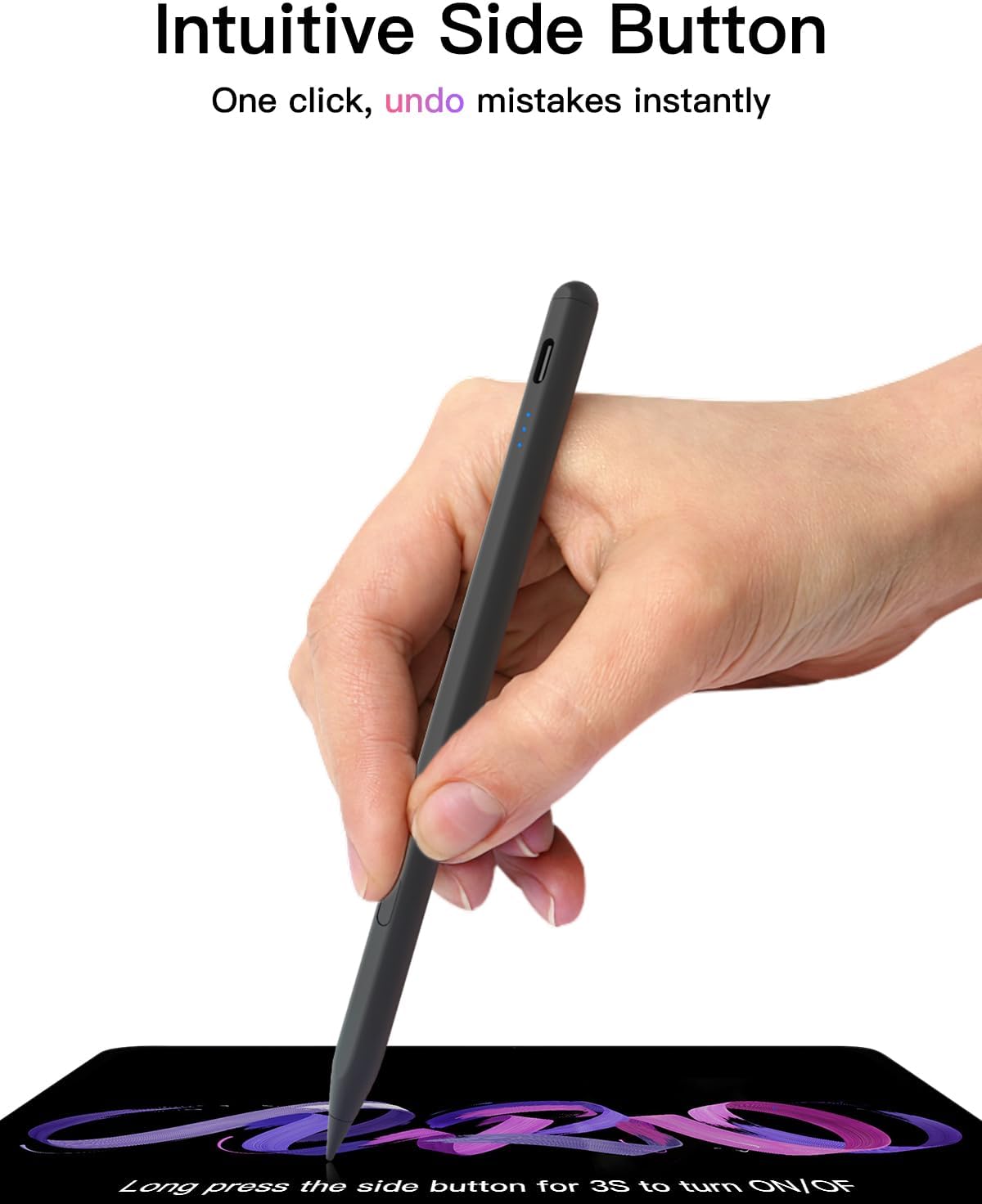
The KEEPRO Stylus is emerging as a versatile and budget-friendly alternative for anyone seeking an efficient pencil for their iPad. Priced at just 16.14, this stylus offers high-speed USB-C charging and innovative pixel-perfect tilt sensitivity, making it suitable for use with various iPad models, including the Mini, Air, and Pro Series. But what makes it stand out, and why should you consider KEEPRO for your iPad artistic or productivity needs?
Users of the KEEPRO Stylus enjoy several benefits, starting with its seamless integration with the iPad. With no need for pairing or specific setup, this stylus is ready to use straight out of the box. It provides a smooth experience with no lag, especially beneficial for intricate tasks on apps like Affinity Photo. Its comfortable metal construction ensures hours of use without fatigue, while its precision and responsiveness match more expensive alternatives, making it suitable for artists and professionals alike.
Priced competitively, the KEEPRO Stylus is a cost-effective solution compared to official iPad pencils, which can be significantly pricier. It offers similar functionality without the hefty price tag, ensuring users don’t have to compromise on quality or performance. For those looking to maximize their budget without sacrificing efficiency, the KEEPRO provides excellent value, surpassing expectations for its price range.
KEEPRO stands out as a smart choice due to its combination of affordability, functionality, and ease of use. It caters to users seeking both simplicity and high performance, including precision tilting for creative tasks and quick responses for note-taking. User reviews highlight how smoothly it operates, comparable to more expensive counterparts, making KEEPRO a logical alternative for those hesitant about investing in an official Apple Pencil.
The standout features of the KEEPRO Stylus include high-speed USB-C charging, pixel-perfect tilt sensitivity, and compatibility with a variety of iPad models. Its magnetic attachment capability, while not for charging, ensures it’s never out of reach during creative spurts or meetings. The inclusion of multiple pencil tips enhances its versatility, offering users different tactile experiences that suit various applications from sketching to detailed design work.
Using the KEEPRO Stylus could not be simpler. Its plug-and-play operation means that minimal setup is needed, saving time and effort. Users can attach it magnetically to their iPad when not in use, ensuring convenience. Its responsive nature aligns perfectly with the iPad's interface, providing almost instantaneous feedback in applications, which is ideal for both casual and professional endeavors.
The KEEPRO Stylus boasts compatibility with a wide range of iPads, including the iPad Mini, Air, and Pro Series. This broad compatibility ensures that whether you're using an older model or the latest iteration, KEEPRO will fit seamlessly into your digital toolkit. Its universal design also appeals to users who own multiple iPads, eliminating the need for multiple pencils.
Considering buying a KEEPRO Stylus makes sense if you are an iPad user looking for a responsive, budget-friendly tool for creative or professional use. As iPads continue to evolve, having a versatile accessory like the KEEPRO ensures you are equipped for various tasks without breaking the bank. It’s particularly timely for educators, students, and artists who regularly rely on styluses for their work.
For those interested in purchasing the KEEPRO Stylus, it’s readily available on major online platforms like Amazon. Its widespread availability makes it easy to find, with customer reviews supporting its reliability and performance, helping you make a well-informed purchase decision backed by shared experiences of satisfaction.
The KEEPRO Stylus is feasibly priced at 16.14, offering users an economical option without cutting corners on quality or performance. Its cost-effectiveness makes it accessible for a wide range of iPad users, from students to professionals, providing exceptional function that rivals higher-priced counterparts.
With the purchase of a KEEPRO Stylus, you receive three additional pencil points and two flat-headed ones. These extra tips enhance the stylus’s utility by offering different touch experiences, allowing for varied strokes and techniques. This feature adds significantly to the stylus's adaptability, appealing to creative professionals who require flexibility in their toolset.
KEEPRO is considered one of the best alternatives to the Apple Pencil for several reasons. Its precise performance, quality build, and affordability all contribute to its standing as a practical option for iPad users. Users seeking comparable performance to more expensive brands find KEEPRO provides similar functionality, complimented by outstanding user reviews praising its real-world performance.
User reviews highlight general satisfaction surrounding the KEEPRO Stylus, focusing on its cost-saving benefits and its operation efficiency. The unanimous appreciation for its craftsmanship and performance underlines it as a reliable tool for digital creative tasks. Users affirm that it matches their needs for both artistic applications and standard note-taking, solidifying its reputation as a worthwhile investment.
Common questions regarding the KEEPRO Stylus often relate to its compatibility, performance, and battery life. Users are reassured by its broad compatibility across iPad models and noted ease of use. Concerns about battery efficiency are also addressed with mention of its long-lasting charge, described as holding well even during lengthy use, according to user experiences.
In conclusion, the KEEPRO Stylus presents itself as an attractive option for those seeking a cost-effective, high-performing stylus for their iPad. With seamless integration, precise control, and commendable build quality, it meets the demands of users who juggle creative and professional tasks. At its price, the KEEPRO Stylus delivers exceptional value, ensuring users don't have to compromise on functionality for affordability.
The KEEPRO Stylus indeed represents a wise investment for iPad enthusiasts, providing a practical mix of functionality and cost savings. Its positives far outweigh any minor drawbacks, such as occasional connectivity issues, which are often more related to the device than the stylus itself. Those prioritizing reliable performance on a budget will find KEEPRO an excellent addition to their digital toolkit.
Only In TestMarket
Average rating
 5
5
11
4
4
3
0
2
0
1
0


 Facebook
 Twitter
 Linkedin
 Reddit
 Pinterest




Grace Walker
Jan 07, 2026
Recommended
Overall, this iPad-compatible stylus has proven to be a versatile and affordable option for my tech ensemble. Initially, I was drawn to it due to the enticing price, but its functionality has been equally rewarding. It offers excellent precision thanks to its innovative tilt sensitivity, making it perfect for both professional and casual use.
Charging and pairing are hassle-free, while its magnetic attachment is convenient for portability. I highly recommend it to anyone looking for a high-quality stylus without the premium price tag.
Shipping
Item Quality
Customer Service
Packaging
Emily Scott
Jan 07, 2026
After looking for a stylus that wouldn’t break the bank, I stumbled onto this High-Speed USB-C Charged Stylus. Pairing was a breeze, and it works smoothly with my iPad, matching much of the performance you’d expect from an Apple Pencil. I love that it includes multiple tips, which is a thoughtful touch for prolonged use. Given the notably lower cost, it’s impressive just how well it functions across various apps.
Whether for note-taking, design, or general iPad use, it’s a reliable choice that I’m glad to have found.
Shipping
Item Quality
Customer Service
Packaging
Michael Powell
Jan 09, 2026
I purchased this stylus primarily for digital illustration on my iPad Pro, and it holds up remarkably well. The USB-C charging feature is a standout, making it quick to charge and use. The pen’s responsiveness is much better than expected, providing fluidity in my sketches and outlines. The tilt sensitivity is also a nice touch, offering varied line weights that are perfect for my digital artwork.
The reasonable price point makes it a great tool for budding artists or professionals on a budget.
Shipping
Item Quality
Customer Service
Packaging
Harper Bennett
Jan 04, 2026
I’ve used several styluses for my iPad over the years, and this one ranks high on my list. The first thing I noticed was the easy pairing with my device, requiring no hassle whatsoever. The pixel-perfect precision is a standout feature; it mirrors the Apple Pencil experience really well.
The built quality is excellent, and the additional tips are a welcome addition. Considering the price, it is hard to beat, doing most of what the official version does without the steep cost.
Shipping
Item Quality
Customer Service
Packaging
Michael Rivera
Jan 07, 2026
This stylus is perfect for those looking for efficient functionality without spending a fortune. The sturdy build makes it comfortable for prolonged usage, and the quick USB-C charging is convenient. I’ve used it for both digital painting and professional tasks like document annotation, and it performs beautifully in both scenarios.
The magnetic attachment is an added plus, although it does not charge there. Overall, it’s a practical and cost-effective solution for iPad users.
Shipping
Item Quality
Customer Service
Packaging
Sophia Collins
Jan 10, 2026
For someone who frequently switches between digital art, note-taking, and casual web surfing, this stylus has been a great all-around performer. The innovative pixel-perfect technology delivers precise writing and drawing each time. The quick charging feature is a blessing, ensuring that I am always ready to go. The stylus pairs quickly with my older iPad, and I haven’t experienced any significant delays or malfunctions.
A substantial buy for those looking for quality without the hefty price tag.
Shipping
Item Quality
Customer Service
Packaging
Elena Reed
Jan 05, 2026
I was skeptical about a stylus at this price range but decided to give the High-Speed Stylus a try for my iPad. The build quality is exceptional; it feels sturdy yet light in hand. Once charged, the stylus connected effortlessly, which was a relief. The tilt sensitivity is beneficial for note-taking and artistic tasks alike, making each stroke feel natural and intuitive.
I appreciate the extra tips provided, as they add to the value. It is truly an impressive tool that holds its own against more expensive alternatives.
Shipping
Item Quality
Customer Service
Packaging
Emily Scott
Jan 04, 2026
Purchased this stylus to complement my new iPad Mini, and it didn’t disappoint. The setup was straightforward, with no complications in connecting to my device. I love the fact that it charges via USB-C – a big plus in terms of speed and convenience.
The pencil operates with precision and has a great feel, which makes using it for sketching and drafting enjoyable. Even with long-term usage, the battery holds up well, which is impressive at this price point. Overall, it’s a great alternative to the higher-priced stylus available.
Shipping
Item Quality
Customer Service
Packaging
Sophia Collins
Jan 05, 2026
This innovative stylus for the iPad has proven to be an invaluable tool for my digital journaling. The lightweight design makes it easy to carry around, and I appreciate that it magnetically attaches to my iPad, even if it doesn’t charge that way. The innovative pixel-perfect tilt sensitivity is quite an impressive feature, enhancing my writing flow and artistic endeavors. Considering the price, it’s a pragmatic choice for those who want functionality on a budget.
Shipping
Item Quality
Customer Service
Packaging
Emma Brooks
Jan 04, 2026
As a professional graphic designer, I needed a stylus with precision and functionality for my iPad Pro, and this stylus did the job well. The USB-C charging is fast, and the stylus itself holds power efficiently. It integrates well with my design apps, allowing for intricate designs and precise lines.
The extra tips included are a nice addition, prolonging the product’s lifespan. The high-speed connection is seamless, making it almost indistinguishable from the official Apple Pencil in terms of operation. A worthwhile investment for anyone in the creative industry.
Shipping
Item Quality
Customer Service
Packaging
Grace Collins
Jan 09, 2026
I initially purchased this stylus for casual browsing and gaming on my iPad, and it has performed admirably. The ergonomic design ensures a comfortable grip, reducing fatigue during extended use. I was impressed by how quickly it connected to my device without needing any complicated setup. The pixel-perfect accuracy works well for both gaming and app navigation, providing a smooth user experience.
Although there were occasional connectivity hiccups, they were minimal and did not significantly impact usage. Overall, a reliable and cost-effective accessory.
Shipping
Item Quality
Customer Service
Packaging
Logan Powell
Jan 04, 2026
Being a student, I needed an iPad pencil that could keep up with my note-taking demands, and this high-speed stylus has surpassed my expectations. It paired effortlessly with my iPad, and I haven’t faced any connectivity issues. The pen glides smoothly across the screen, making writing and annotating a pleasant experience. The magnet attachment is a handy feature, keeping it safely secured to my device.
Although it doesn't charge on the iPad, the stylus still offers great usability. It’s lightweight, durable, and budget-friendly, making it an excellent purchase for students.
Shipping
Item Quality
Customer Service
Packaging
Lily Rivera
Jan 06, 2026
As an avid artist, I needed a stylus that wouldn’t break the bank but would still deliver reliable performance. The Special Stylus Pen for iPad Pro Series caught my eye, and it has proven to be a great choice. The pixel-perfect functionality means my strokes are captured accurately, which is crucial for the detailed sketches I create. I particularly love the innovative tilt sensitivity, which adds a new dimension to my drawing techniques.
The stylus charges swiftly via USB-C, and I’ve been able to use it extensively without having to worry about constant recharging. A fantastic alternative to more expensive options.
Shipping
Item Quality
Customer Service
Packaging
Benjamin Roberts
Jan 04, 2026
I bought this stylus for my iPad Mini to assist with digital planning and was not disappointed. The sleek metal construction feels premium and comfortable to hold for extended periods. It came with extra tips, which is a fantastic addition. While using it, I noticed that it had excellent responsiveness and no noticeable lag during use.
It charged pretty quickly, and the battery life is impressive, lasting me several days with continuous usage. This pencil definitely excels in terms of quality and cost-effectiveness. It’s become an essential tool in my daily routine.
Shipping
Item Quality
Customer Service
Packaging
Michael Moore
Jan 09, 2026
Recommended
I recently purchased this Smart Black Stylus for iPad Compatibility and have been very pleased with its performance. The delivery was swift, and the packaging was neat and protective, ensuring that the stylus arrived in perfect condition. Once I unpacked it, I quickly charged it using the high-speed USB-C charger, which was very convenient.
The initial setup was a breeze, as it connected to my iPad Air seamlessly. The pixel-perfect tilt sensitivity is impressive, allowing for a smooth and precise drawing experience. The best part is that it offers similar functionality to the official Apple Pencil at a much more affordable price.
Highly recommend for anyone seeking a budget-friendly option.
Shipping
Item Quality
Customer Service
Packaging