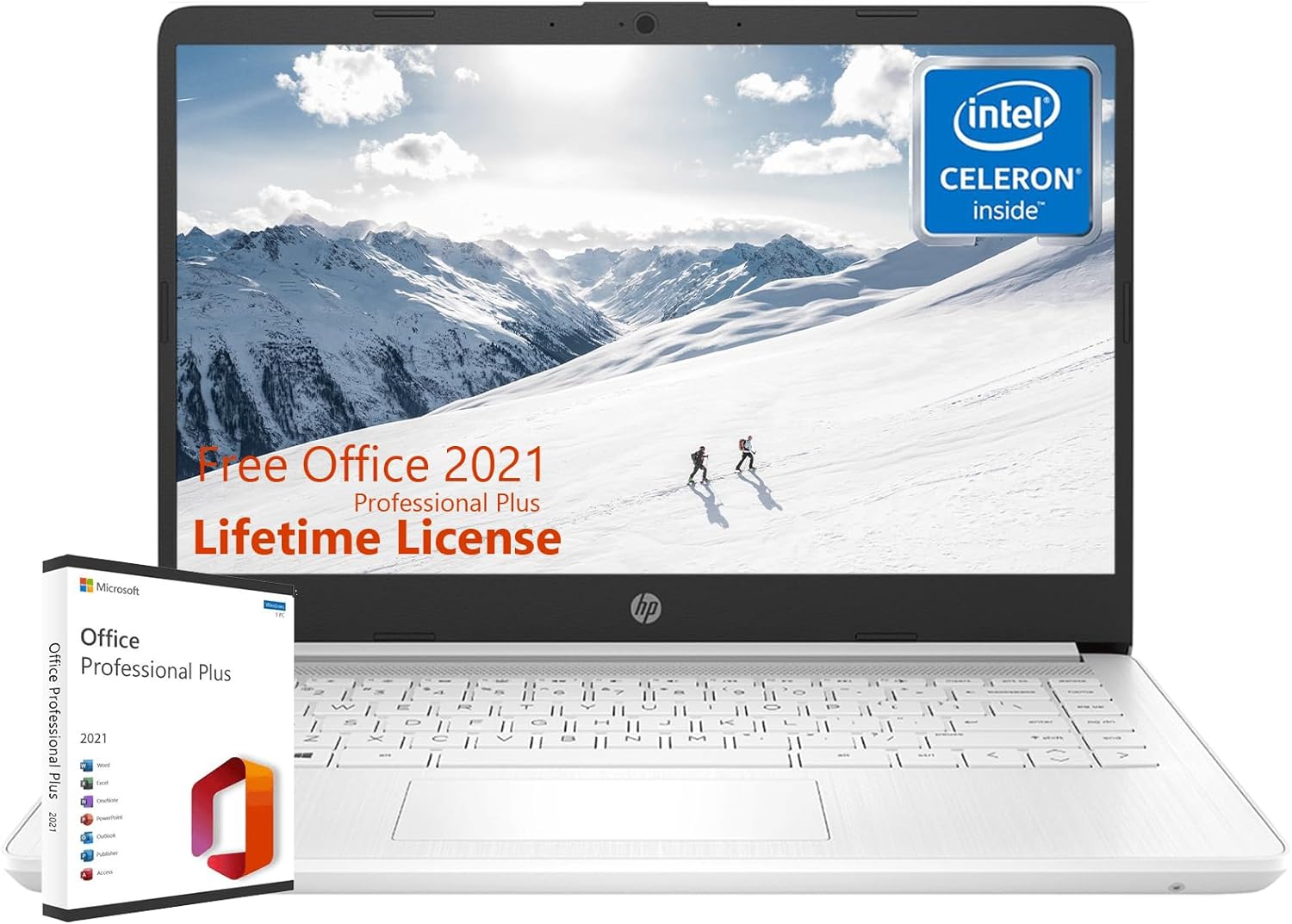
HP Thin Everyday Laptop Computer - with Microsoft Office Lifetime License, 16GB RAM, 320GB Storage(64G eMMC+256G SD Card), Intel Quad-Core CPU, 14" Anti-Glare HD Display, Webcam, Win 11 S Mode Snowflake White 16GB - Testmarket Special Deals
HP Thin Everyday Laptop Computer - with Microsoft...

HP Thin Everyday Laptop Computer - with Microsoft Office Lifetime License, 16GB RAM, 320GB Storage(64G eMMC+256G SD Card), Intel Quad-Core CPU, 14" Anti-Glare HD Display, Webcam, Win 11 S Mode Snowflake White 16GB

Product Details
  • ๐™‹๐™ง๐™ค๐™˜๐™š๐™จ๐™จ๐™ค๐™ง & ๐™๐™ฅ๐™œ๐™ง๐™–๐™™๐™š โšก Intel Celeron N4120, handle multitasking reliably with the perfect combination of performance, power consumption, and value. Max Up to high-bandwidth 16GB RAM to smoothly run multiple applications and browser tabs all at once.
  • ๐™‹๐™ค๐™ฌ๐™š๐™ง๐™š๐™™ ๐™ช๐™ฅ ๐™–๐™ฃ๐™™ ๐™‹๐™ง๐™ค๐™™๐™ช๐™˜๐™ฉ๐™ž๐™ซ๐™š โšก Work, watch, and stay connected all day with up to 11 hours and 30 minutes of battery life (video playback); plus, HP Fast Charge technology charges your laptop computer from 0 to 50% in approximately 45 minutes so you never miss a beat.
  • ๐˜ฟ๐™ž๐™จ๐™ฅ๐™ก๐™–๐™ฎ โšก HP Stream laptop has a 14.0-inch diagonal, HD (1366 x 768), micro-edge, BrightView. With virtually no bezel encircling the display, an ultra-wide viewing experience provides for seamless multi-monitor set-ups. Revolutionize your display and see more of what you love with this slim bezel design. Enjoy an immersive multimedia experience with a maximized viewing area.
  • ๐“ฆ๐“ฒ๐“ท๐“ญ๐“ธ๐”€๐“ผ 11 ๐“—๐“ธ๐“ถ๐“ฎ ๐“ฒ๐“ท ๐“ข ๐“œ๐“ธ๐“ญ๐“ฎ ๐ŸŒŸ Win 11 in S mode is designed for security and performance, exclusively running apps from the Microsoft Store. If you want to install an app that isn't available in the Microsoft Store, you'll need to switch out of S mode. (Switching out of S mode is one-way. If you make the switch, you won't be able to go back to there before.) By following these steps: On your PC running Windows 11 in S mode, open Settings > System > Activation. In the Switch to Windows 11 Home section, select Go to the Store. On the Switch out of S mode (or similar) page that appears in the Microsoft Store, select the Get button. Or click videos to get more details.
  • ใ€๐‘ถ๐’‡๐’‡๐’Š๐’„๐’† ๐‘ณ๐’Š๐’”๐’†๐’๐’„๐’† ๐‘บ๐’†๐’• ๐‘ผ๐’‘ใ€‘ ๐Ÿ’ป Upon opening any Office software for the first time, you will be prompted with a message similar to the following: "Try premium Office apps for free with Microsoft 365." To continue, you must select the option "No thanks" or "Decline." Please note that Office 365 and Office 2021 cannot coexist on the same computer. They are incompatible with each other, and Microsoft 365 takes priority over Office 2021 updates. Please refer to the video for a more detailed explanation of the installation steps.
Promotions
Deals Promotions Deals Promotions Deals Promotions
Promote Your Deals

Coupons, and Products on our website now.

apply now
Deals Promotions Deals Promotions
Explore Products

Coupons, and Products on our website now.

apply now
go top icon

Cookies Policy

We use cookies to improve your browsing experience on our website. By continuing to use this site, you agree to our use of cookies.

Privacy Policy