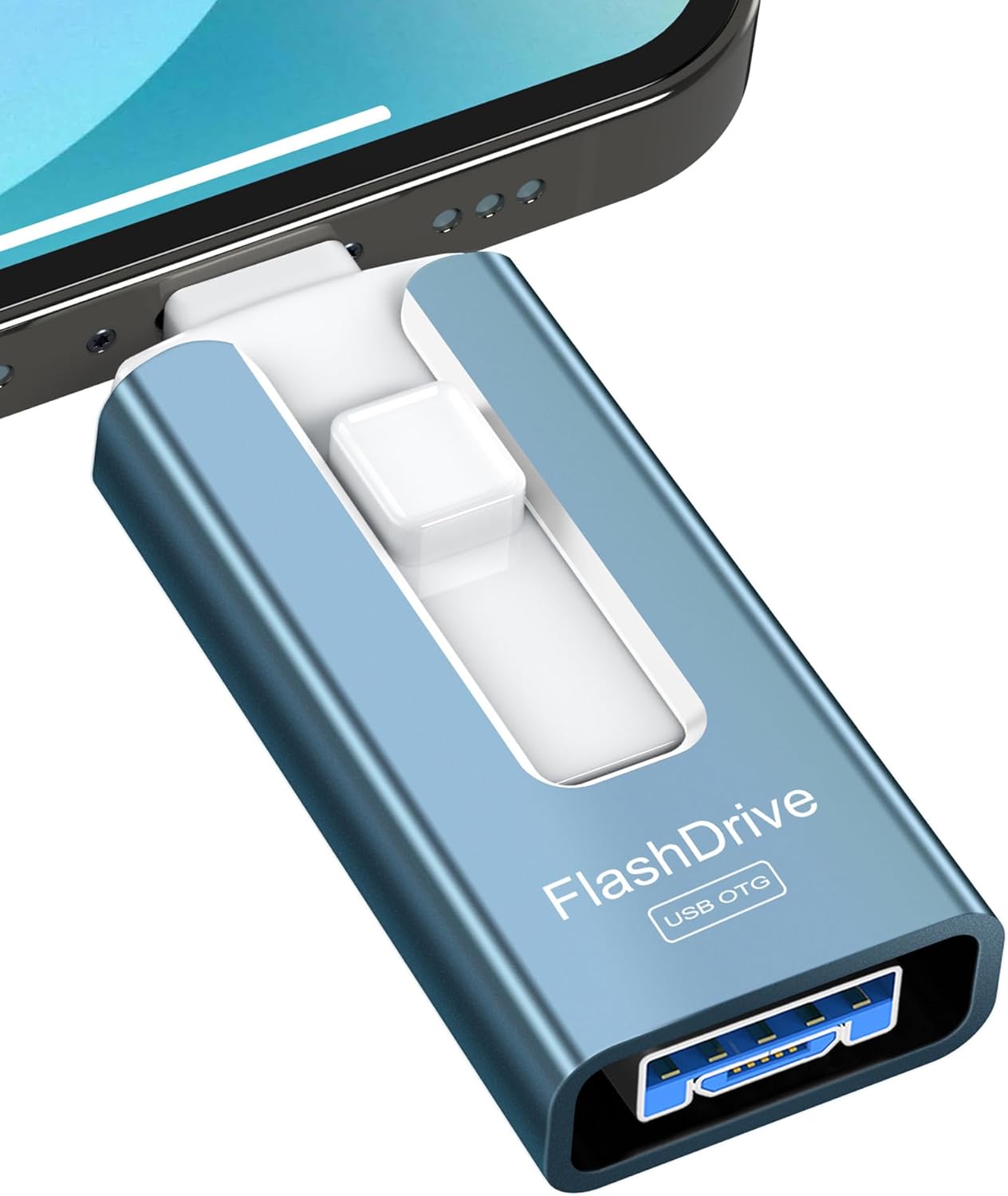
GNASEET USB Stick 256GB for Phone, USB 3.0 Flash Drive High Speed Transfer, 4-in-1 Memory Stick Thumb Drive for Phone/Pad/Android/PC, External Storage Photo Stick Save More Photos Videos, Blue 256g Blue - Testmarket Special Deals
Check out our latest new arrivals now! See new arrivals
Enjoy free shipping on orders over $50. Start shopping
Get 15% off your first order today! Shop now
Deals Trends Proviews Blog
Company
Are you a Seller?
Login Sign up
GNASEET USB Stick 256GB for Phone, USB 3.0 Flash D...

GNASEET USB Stick 256GB for Phone, USB 3.0 Flash Drive High Speed Transfer, 4-in-1 Memory Stick Thumb Drive for Phone/Pad/Android/PC, External Storage Photo Stick Save More Photos Videos, Blue 256g Blue

Product Details
  • - Multi-Port Flash Drive: GNASEET USB stick features 4 ports: iOS, USB 3.0, USB-C, and Micro USB, enabling data transfer across various devices, including mobile phones, tablets, Android devices, Computer, Macs, PCs, cars, and smart TVs. (Phone USB Stick Supports iOS 8.2 or higher: Phone 15/15 Plus/15 pro/15 pro max, 14/14 Plus/14 pro/14 pro max, 13/13 pro/13 pro max, 12/12 pro/12 pro max, 11/11 pro/11 pro max, XS max/XR/XS/X/8/7/6/5.)
  • - High-Speed Transfers: The USB 3.0 port on the thumb drive offers read speeds of up to 80MB/s and write speeds of up to 40MB/s. The other ports on the flash drive provide read speeds of up to 26MB/s and write speeds of up to 15MB/s. Backup your phone data with one click and quickly save it to the 4-in-1 pen drive
  • - Data Encryption: For iOS devices, download the free “LUV-Share” app from the App Store (not required for Android phones). The app allows you to encrypt file information with a password and Touch ID. You can choose to encrypt either the entire 256GB flash drive or just specific files
  • - Free Up Memory: 256GB flash drive is commonly used for file storage, backup, and transfer, addressing your daily needs for photos, music, videos, movies, and files at work, school, home, or while traveling. Additionally, you can use the USB flash drive to capture photos or videos, save them directly, and effortlessly share them on social media
  • - Warm Tips: For iOS devices, please install the “LUV-Share” app from the App Store before connecting the flash drive. For Android devices, the flash drive can be used plug-and-play without additional apps, provided your phone supports OTG functionality. When transferring data for the first time, select “Copy” (not “Cut”) to ensure all data is safely saved on the USB Stick before deleting the original files
Promotions
Deals Promotions Deals Promotions Deals Promotions
Promote Your Deals

Coupons, and Products on our website now.

apply now
Deals Promotions Deals Promotions
Explore Products

Coupons, and Products on our website now.

apply now
go top icon

Cookies Policy

We use cookies to improve your browsing experience on our website. By continuing to use this site, you agree to our use of cookies.

Privacy Policy