


Amazon Catalog Errors and Search Suppression
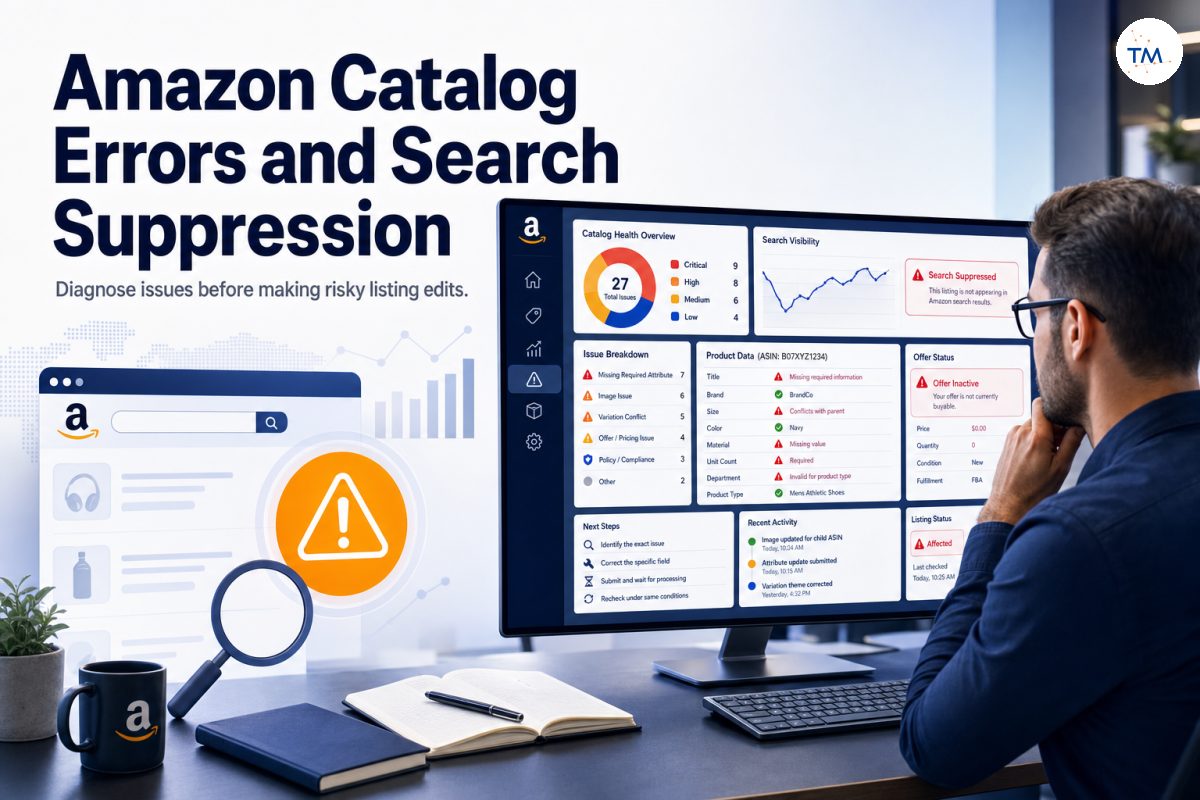
Amazon catalog errors happen when Amazon cannot process, validate, or display important product data correctly. Search suppression is one possible result: the listing may remain inside the seller account while losing normal search visibility or becoming unavailable to shoppers.
This guide explains how to identify an amazon listing suppression problem, separate it from indexing or low ranking, and correct the verified cause without rewriting the entire catalog. It is written for sellers who need to fix suppressed listings, review incomplete listings, protect listing health, and reduce lost sales caused by preventable technical mistakes.
The central rule is simple:
Do not edit first and diagnose later. Name the exact failure, identify the affected field, and make the smallest valid correction.
What Are Amazon Catalog Errors and Search Suppression?
Catalog errors and suppression are related, but they do not describe the same event.
Catalog Errors Prevent Amazon From Processing Product Data Correctly
A catalog error appears when submitted data is missing, invalid, unsupported, or inconsistent with Amazon’s catalog structure. The problem may affect one field, one SKU, a variation family, or several unrelated products submitted through the same file.
Some errors block an update while leaving the current amazon listing unchanged. Others can make an offer inactive, prevent the detail page from displaying correctly, or create a suppressed amazon listing that needs technical review.
Search Suppression Can Remove a Listing From Search Results
Search suppression can prevent a product from appearing normally in search results even though the listing exists in amazon seller central. This can reduce search visibility, interrupt sales momentum, and create lost sales until the required data is corrected.
Diagnosis comes first
Do not assume every missing search position is suppression. First confirm whether the ASIN is actually marked as suppressed, inactive, incomplete, or affected by another problem.
How Can an Amazon Listing Remain in Seller Central but Still Be Suppressed?
An amazon listing can remain visible to the seller even when a technical requirement limits how shoppers find or buy it. The internal record proves that the SKU exists, but it does not confirm that search placement, the public page, and the offer are all healthy.
A seller may still see the SKU in the amazon seller central dashboard while shoppers cannot discover or purchase it normally. That difference is why an internal listing view is not enough to confirm that the product is healthy.
Check the public detail page, offer status, search behavior, and exact warning shown in the account. A listing can exist internally without being fully searchable or buyable.
An Active SKU Is Not Always a Fully Searchable Product
An active label may refer to the seller’s SKU or offer status, but it does not guarantee complete search visibility. A product can have an offer while an image, product attribute, category value, or relationship field remains incomplete.
Review listings live on the marketplace rather than relying only on one internal status. The public result is part of the diagnosis.
Catalog Errors and Search Suppression Are Connected but Not Identical
A catalog error may cause listing suppression, but some errors affect only an update or one product field. Likewise, suppression can come from image, policy, offer, or required-data issues that need different workflows.
The correct question is not simply “Is there an error?” It is “What exact requirement failed, and what part of the listing did that failure affect?”
Technical Visibility Problems Should Be Diagnosed Before Content Is Rewritten
A complete rewrite introduces many new variables. If the original problem is one missing unit count or an invalid department value, changing the title, bullet points, images, and category together makes the result harder to understand.
Preserve valid content. Correct the verified field first, wait for processing, and then recheck the same SKU under the same conditions.
What Is the Difference Between Suppression, Indexing, and Low Ranking?
These problems can look similar from the outside but require different fixes.
Suppression Means the Listing Fails a Technical or Data Requirement
Listing suppression usually means a product or offer does not meet a required catalog, content, image, offer, or policy condition. The listing may be hidden from normal discovery until the issue is corrected.
A suppression warning gives you a technical starting point. Use it before making assumptions about keywords or ranking.
Indexing Means Amazon Can Connect the ASIN With a Query
Indexing concerns whether Amazon can retrieve an ASIN for a particular search query. A product can be indexed for one phrase but not another.
Do not use a suppression workflow when the only evidence is that one weakly relevant query does not retrieve the product.
Low Ranking Means the Product Appears Behind Stronger Results
A low-ranking product still appears in organic search, but it may sit far behind competing results. That is different from a listing being removed because a technical requirement failed.
Search for the exact ASIN and test more than one query before deciding that suppression is the cause.
An ASIN Can Be Indexed but Still Suppressed From Normal Discovery
Amazon may understand the product and its queries while restricting normal display because of a listing-level issue. This is why indexing alone does not prove that the product is fully healthy.
Check both query connection and listing status.
A Searchable Product Can Still Rank Too Low to Notice
A product can be live, buyable, and searchable while appearing at a weak organic position. Rewriting a healthy catalog entry as though it were suppressed can create unnecessary risk.
Suppression is not the same as poor performance
Separate complete absence from low placement.
Each Problem Requires a Different Fix
Use the correct workflow:
- Suppression: identify and correct the failed requirement.
- Indexing: review the ASIN-to-query connection.
- Low ranking: review relevance, offer strength, and shopper response.
Mixing these workflows wastes time and can damage valid data.
Do Not Call Every Missing Search Position a Suppression Problem
Before using terms such as search suppressed asins, confirm that Amazon actually marks the products as suppressed or that the listings fail normal discovery because of a verified technical issue.
One search test is not enough. Check the SKU status, public page, offer, and exact message.
Why Does Amazon Suppress Product Listings?
Amazon may suppress a listing when essential data, images, offer information, or policy conditions are not satisfied.
How Missing Product Data Can Damage the Customer Experience
Missing product information does more than create a technical warning. It can weaken the customer experience by making the item harder to understand, compare, filter, or purchase with confidence.
Missing product details can prevent Amazon from presenting the item accurately. Common examples include required dimensions, material, color, size, unit count, department, or product-type-specific fields.
Do not fill missing values with guesses. The data should accurately represent the product that the customer will receive.
Product Data May Conflict Across Important Fields
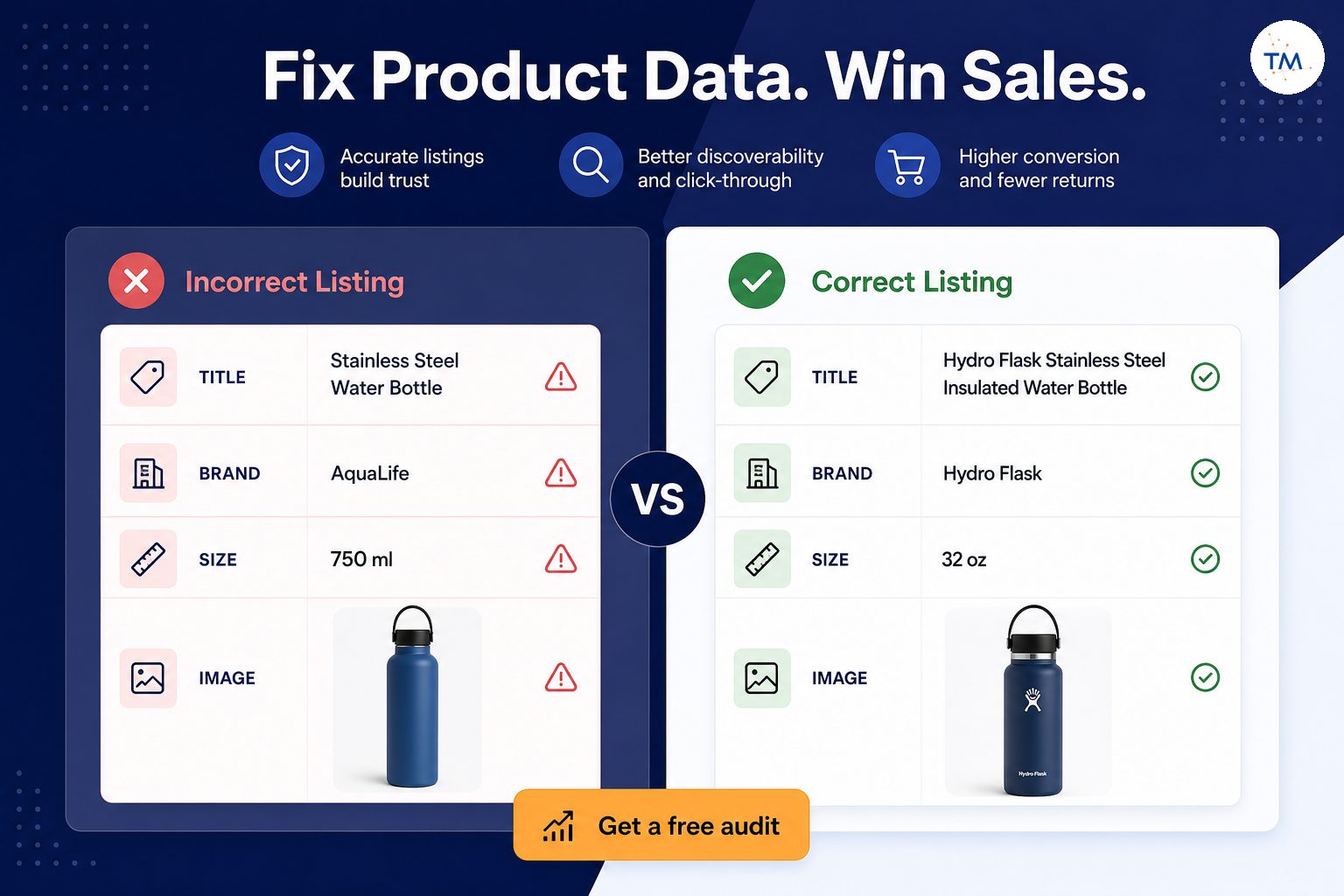
The title may describe one product while the structured attributes describe another. A package quantity may conflict with the images, or a child ASIN may use a brand value different from the parent.
Amazon may be unable to determine which contribution is correct when other sellers or older catalog records provide conflicting information.
Amazon requires barcodes used as product IDs to be registered with GS1 to avoid errors. Submitted product IDs may be checked against the GS1 database, although eligible products can still be listed through an approved GTIN exemption.
The Main Image May Not Meet Listing Requirements
A missing, unclear, misleading, or noncompliant main image can reduce listing health and trigger suppression. Amazon needs valid product images that show the offered item clearly.
Image problems should be corrected with compliant main images, not unrelated lifestyle graphics or promotional text.
The Title May Contain Invalid or Incomplete Information
A title may fail because it lacks required product identity information, exceeds a product-type limit, uses unsupported formatting, or describes a different item than the structured data.
Fix the exact title problem. Do not treat a technical repair as an opportunity to stuff new keywords into the field.
The Product Type May Require Additional Attributes
Different product types require different data. A category or product-type update can introduce new fields that an older listing did not previously require.
This is why incomplete listings may appear after a catalog change even when the seller did not intentionally remove information.
Pricing Data May Trigger a Listing-Level Problem
A minimum or maximum price setting, sale-price conflict, or unrealistic value can make an offer unavailable. The product detail page may remain in the catalog while the seller’s offer is inactive.
Check offer and pricing status before rewriting product content.
The Offer May Be Incomplete or Unavailable
Missing quantity, condition, shipping information, or required offer data can prevent a child listing from being buyable. This can look like a product suppression problem even when the catalog data is valid.
Review inventory health and the specific offer before editing the product page.
How Can Policy Violations or Restricted-Product Issues Affect Visibility?
Policy violations can restrict visibility even when the title, images, and attributes appear technically complete. Treat these cases as compliance problems first because ordinary listing edits may not resolve a policy review.
Policy violations, safety concerns, intellectual property claims, or restricted-product reviews can affect a listing and sometimes the wider seller account. These are not ordinary content errors.
Check performance notifications and account health before attempting a normal catalog correction. Serious or repeated account health issues can increase the risk of account suspension.
Submit a Plan of Action for policy violation suppressions when the performance notification or appeal workflow requests one. The plan should address the root cause, the corrective action already taken, and the steps designed to prevent the issue from happening again.
How Can Missing Required Attributes Create Search Suppression?
Required attributes help Amazon understand, validate, filter, and display a product.
Required Fields Depend on the Product Type
The same field may be optional for one product type and required for another. Always review the current requirements for the marketplace and product classification.
Do not copy values from a loosely related ASIN simply because it appears in the same broad category.
One Missing Attribute Can Block an Otherwise Complete Listing
A listing may have a strong title, images, bullet points, and offer, yet one required field can still cause suppression. The visible amount of content does not determine technical completeness.
Read the exact error and locate the named field.
Required Fields Can Change After a Product-Type Update
Amazon may update product-type definitions or validation rules. A previously accepted listing can later require a new value.
Review recent classification changes and processing reports when several similar products become incomplete at the same time.
Existing Listings May Receive New Data Requirements
An older listing is not permanently exempt from current catalog requirements. New requirements may appear after Amazon reclassifies the product or updates the schema.
Do not assume the warning is incorrect only because the listing was previously active.
Child ASINs May Require Different Values From the Parent
The parent connects the family, while each child represents a specific buyable option. A child may require its own color, size, unit count, or offer data even when the parent structure is valid.
Review the parent and child rows separately.
Empty Fields and Invalid Values Are Different Problems
An empty field means no value was submitted. An invalid value means the submitted data does not match the accepted format, range, or controlled vocabulary.
The correction depends on which condition applies. Re-entering the same invalid value will not solve the problem.
Unsupported Values Can Be Treated Like Missing Information
A custom phrase may look descriptive but still fail validation when the field requires a value from a drop down list or product-type definition.
Use an accepted value that truthfully describes the item.
How Can Customer Feedback Reveal Missing or Incorrect Product Data?
Customer feedback can expose catalog problems that are not obvious in Seller Central. Repeated questions, returns, or complaints about size, quantity, material, compatibility, or included items may show that a field is missing, unclear, or inconsistent with the delivered product.
Do not invent a department, material, age range, or certification simply to remove a warning. False data can create customer complaints, returns, policy risk, and future catalog conflicts.
Accuracy protects the customer experience and the seller's reputation. Customer feedback, returns, and support contacts can also reveal when catalog data does not match the product buyers actually receive.
How Do Conflicting Product Details Create Catalog Errors?
Conflicting catalog contributions make it harder for Amazon to determine the correct product identity.
The Title and Product Type May Describe Different Items
A title that describes a kitchen scale will conflict with a product type intended for bathroom scales. The listing may then receive irrelevant required fields or display in the wrong shopping context.
Confirm the real product type before changing unrelated content.
Brand Data May Differ Across Catalog Contributions
Brand data can conflict when the seller, brand registry owner, manufacturer, or other sellers submit different names. Small differences in spelling, punctuation, or spacing can also matter.
Do not create a duplicate listing to escape a brand conflict. Diagnose the existing catalog record first.
Duplicate ASINs can lead to listing suppression on Amazon when identical products are split across catalog pages or the duplicate violates Amazon’s product detail page rules. Confirm that the products are truly identical before requesting a merge.
Size, Color, or Material Values May Conflict
A child may say “Blue” in one field and “Navy” in another, or the title may say cotton while the material attribute says polyester.
Make the title, structured data, images, and package information tell the same story.
The Description May Suggest a Different Product Use
Content written for another model can create a functional conflict. This often happens when a listing is copied and only part of the text is updated.
Review the full product page, not just the title.
Package Quantity May Not Match the Offer
A title or image may show a two-pack while the unit count or offer data represents one item. That mismatch can mislead shoppers and create validation problems.
Correct the quantity fields and visual presentation together when they describe the same verified issue.
Variation Children May Send Inconsistent Family Data
Children in one family should share the same base product identity. Different brands, product types, or functions can break the family logic and contribute to errors.
Repair only the invalid child or relationship. Do not rebuild valid siblings without evidence.
Marketplace Data May Conflict With a Translated Listing
Direct translation can produce invalid departments, sizes, units, or controlled values. A value accepted in one marketplace may fail in another.
Validate local product data rather than copying the foreign listing line by line.
Amazon May Retain an Older Catalog Value
A seller may submit correct data while the detail page continues to show an older contribution. This can happen when another source controls the value or when processing has not finished.
Record the submitted value, time, method, and visible result before escalating.
Which Image Problems Can Lead to Search Suppression?
Image suppression should be diagnosed at the image and child-ASIN level.
The Main Image May Be Missing
A product without a valid main image may lose normal visibility. Check whether the image is missing from the affected child rather than assuming the entire family is broken.
To fix the issue, upload valid product images to the correct SKU and confirm that the main image slot is populated.
The Product May Be Too Small or Unclear in the Image
The offered product should be easy to identify. Excessive empty space, low resolution, blur, or a distant product can make the image unhelpful.
Use compliant images that present the item clearly.
The Background May Not Meet the Product-Type Requirement
Some main-image requirements depend on the product type. A distracting background or unsupported graphic treatment may create a validation problem.
Use compliant main images rather than adding decorative scenes to the primary image.
Amazon requires main images to have a pure white background, normally defined as RGB 255, 255, 255. Secondary images can use other appropriate settings when they follow the applicable image rules.
Text, Logos, or Promotional Elements May Create Problems
Promotional badges, watermarks, prices, shipping claims, or large text overlays can make a main image noncompliant.
Move explanatory content to appropriate secondary images when allowed.
The Image May Show Products Not Included in the Offer
Showing accessories, multiple units, or packaging not included in the purchase can mislead shoppers. The main image should accurately represent what the customer receives.
This protects both listing health and brand reputation.
The Main Image May Not Match the Selected Child ASIN
A red child should not display a blue main image. Variation-image mismatches create confusion and can increase negative reviews or returns.
Check every affected child separately.
Image Changes May Not Be Fully Processed Yet
A recently submitted image may take time to appear. Repeated uploads can create more confusion if the first update is still processing.
Record the submission time and wait for a reasonable processing period before resubmitting.
Fix the Verified Image Problem Instead of Replacing Every Image
If one child has hidden image suppression, replace or correct the affected image rather than changing the whole family. Confirm that the file meets technical requirements and belongs to the correct ASIN.
The goal is to restore a valid image contribution with the fewest changes.
Which Title and Content Problems Can Trigger Listing Errors?
Content problems should be corrected without turning the repair into a full SEO rewrite.
Required Product Information May Be Missing From the Title
Some product types expect specific identity information in the title. Missing model, size, quantity, or product type may create an incomplete listing.
Add only information that is accurate and relevant.
The Title May Exceed a Product-Type Limit
An overly long title may fail a validation rule or be shortened in display. Remove repetition and irrelevant promotional text before deleting useful product identity.
Clarity is more important than filling every available character.
Promotional Language May Conflict With Listing Rules
Claims such as “best,” “free,” or time-sensitive offers may create issues in fields intended for product identity.
Use the title to describe the item, not the promotion.
Repeated Characters or Formatting May Create Validation Problems
Excessive capitalization, repeated punctuation, symbols, or unsupported formatting can trigger a content warning.
Normalize the field and click save only after confirming the corrected text.
The Title May Describe a Different Product Than the Attributes
When the title and structured data disagree, changing only one visible sentence may not solve the conflict.
Compare the title, product type, brand, model, quantity, and variation values.
Unsupported Claims May Require Review
Medical, safety, environmental, or performance claims can require evidence or policy review. Do not hide a claims issue by moving the same language to another field.
Check performance notifications when the warning appears connected to policy.
The Content May Contain Restricted Information
Contact details, external links, competitor references, or restricted claims can create problems. Follow amazon's guidelines for the relevant field and product type.
Do not add a direct link to an external store or support page in listing content unless the field and policy explicitly permit it.
Rewrite Only the Field Connected to the Error
If the error names the title, correct the title. If it names a required attribute, correct that attribute.
Avoid changing images, bullet points, category, and offer data at the same time.
How Can Product Type and Category Problems Create Catalog Errors?
Classification controls which data Amazon expects from a listing.
The Selected Product Type May Not Match the Real Product
A wrong product type can cause irrelevant fields, filters, or validation requirements. Start with the product’s real-world identity.
Do not select a type only because competitors appear there.
The Wrong Product Type Can Create Irrelevant Required Fields
A product may be asked for fields that make no sense because it was classified incorrectly. For example, an invalid department field may appear when the product type or audience classification does not fit the item.
Confirm classification before forcing a value into the field.
A Category Change Can Alter Listing Requirements
Moving a product can change required attributes, variation themes, and accepted values. A category correction should therefore be planned rather than treated as a simple visibility switch.
Record the original structure before changing it.
Browse Placement and Technical Validation Are Different Issues
A product can be in an imperfect browse path while remaining technically valid. It can also have the correct browse path but fail a required attribute.
Do not use category changes to solve an unrelated suppression warning.
Amazon May Reclassify a Product Automatically
A listing may receive new requirements after a catalog reclassification. When several similar ASINs change at the same time, investigate the shared product type or category event.
Do not assume each SKU failed independently.
A Valid Value in One Product Type May Be Invalid in Another
Controlled vocabularies differ by product type and marketplace. Reusing the old value after reclassification may result in rejection.
Use the valid value for the current schema.
Marketplace-Specific Classification Can Produce Different Errors
A listing can be healthy in one marketplace and incomplete in another. Local category structures, units, departments, and required attributes may differ.
Review each marketplace separately. The same rule applies to amazon business offers and catalog data: local requirements and customer context do not remove the need for accurate classification.
Confirm Classification Before Editing Unrelated Fields
If the product type is wrong, a title rewrite will not correct the technical root cause. Establish the correct classification first, then complete the fields that belong to it.
How Can Parent-Child Variation Problems Cause Catalog Errors?
Variation errors may affect one child, the parent structure, or the full family.
A Child May Use a Different Variation Theme
All children should follow the family’s supported theme. A child using a different theme may detach or fail validation.
Compare the parent and child relationship data.
Duplicate Variation Values Can Create Confusion
Two children should not represent the same exact option under one parent. Duplicate values can make the selector unclear and may create catalog conflicts.
Confirm each child’s unique combination.
One Child May Not Match the Parent’s Product Identity
A child with a different brand, function, model type, or core product may not be a valid variation.
Separate an invalid child rather than forcing the family to accept it.
The Parent SKU Relationship May Be Missing
A child can remain as a standalone SKU when its parent reference is removed or rejected. Check the parent SKU, relationship type, and variation theme together.
Unsupported Children May Break the Family Logic
Accessories, unrelated bundles, or different products should not be grouped simply to share traffic or amazon reviews.
Keep unrelated products on separate detail pages.
A Detached Child May Appear as a Separate Listing
A detached child is not always suppressed. It may remain active as a standalone product while losing the family selector.
Confirm the relationship before applying a suppression fix.
A Variation Error May Affect One Child or the Entire Family
One missing variation value points to a child-level issue. Several detached children may indicate a parent or theme problem.
The scope should control the repair.
Repair the Relationship Without Rebuilding Valid Children
Preserve valid children. Correct the verified relationship field and recheck after processing.
A full rebuild is a last step, not the default response.
How Can Pricing and Offer Problems Affect Listing Visibility?
Offer problems can make a healthy catalog page unavailable to purchase.
A Pricing Error Can Make the Offer Unavailable
An invalid, unusually high, unusually low, or conflicting price can deactivate the seller’s offer. The product page may still exist while the offer disappears.
Review pricing warnings before changing product content.
The Listing May Be Active While the Offer Is Not Buyable
An ASIN can be active in the catalog without a buyable offer from your seller account. Check quantity, condition, fulfilment, and pricing.
Do not confuse catalog existence with offer availability.
Minimum and Maximum Price Settings May Conflict
Automated pricing limits or account-level settings can prevent an update from taking effect.
Check the seller account settings connected to the SKU.
Sale Price and Standard Price Data May Not Match
A sale period, currency, or comparison value may be invalid or incomplete. Correct the offer data rather than rewriting the title.
Currency or Marketplace Differences Can Create Errors
Copying a price or decimal format between marketplaces can cause problems. Review local currency and format requirements.
Missing Quantity Can Make a Child Unavailable
A child with no available quantity may disappear from purchase options. This is an inventory management issue, not automatically a catalog suppression issue.
Review inventory health and fulfilment status.
Offer Suppression Is Not Always Product-Page Suppression
Your offer may be inactive while the shared product page remains available through other sellers. Check whether the ASIN is visible and whether your offer is present.
This distinction matters when unauthorized sellers or legitimate competing offers appear on the page.
Check the Offer Before Rewriting the Catalog Content
A healthy title cannot restore an offer blocked by price or quantity. Confirm buyability first.
How Can You Search Suppressed Listings and Confirm the Problem?
To search suppressed listings effectively, begin with Seller Central status filters and then verify each result against the public detail page, offer status, and exact suppression message. A filtered list identifies candidates; it does not replace diagnosis.
Use a repeatable diagnostic process rather than relying on one search.
Confirm the Listing Status in Seller Central
Open the amazon seller central dashboard and locate the affected SKU. Depending on the interface, select manage, open manage inventory, or go to manage all inventory.
Look for suppressed, inactive, incomplete, or other warning states. Some sellers search suppressed listings by filtering these statuses, but the exact message should still guide the repair.
Check Whether the SKU Is Active, Inactive, or Suppressed
Inactive listings may result from stock, offer, compliance, or catalog problems. A suppression label should be read together with the exact reason.
Do not apply one universal fix to every status.
Review Whether the Detail Page Is Still Accessible
Open the public page using the ASIN or a direct link. Confirm whether the detail page loads and whether the correct child or offer is selected.
A page that exists but has no buyable offer requires a different review from a page that does not display.
Search for the ASIN Under Controlled Conditions
Test the ASIN and a small set of relevant searches. Keep marketplace, delivery location, and account state consistent.
This helps separate listing suppression from query-specific indexing or ranking.
Confirm Whether the Product Has an Active Buyable Offer
Check price, quantity, condition, fulfilment, and delivery eligibility. A catalog record without a buyable offer can look suppressed to a shopper.
Check Whether One Marketplace or All Marketplaces Are Affected
A local product-type, policy, or offer requirement may affect only one country. Do not copy the same correction everywhere without evidence.
Separate Search Absence From Complete Listing Failure
If the detail page and offer work but one query does not retrieve the product, investigate indexing or ranking. If the SKU is marked suppressed with a specific reason, follow the technical repair workflow.
Record the Exact Error Before Making Changes
Take a screenshot or copy the message. Record the SKU, ASIN, field, date, and marketplace.
This is the starting point for a reliable repair.
Where Should You Look for Catalog Error Information?
Different views may show different parts of the problem.
Start With the Listing Status and Error Message
The exact message is more useful than a general assumption. Read which field failed and whether the message is a warning or blocking error.
Review Performance Notifications and Seller Central Listing Diagnostics
Performance notifications can reveal policy, safety, or account-level causes that a normal listing-quality screen may not show. Review them alongside catalog diagnostics so that a compliance restriction is not mistaken for a missing attribute.
Use the available listing diagnostics, listing health, and product-quality views. Some accounts may show a fix your products area for incomplete or suppressed items. A suppressed listing report, when available in the account or export workflow, can help organize affected SKUs, but every row still needs its own diagnosis.
Fix Your Products shows ASINs with quality issues, missing information, inactive offers, or suppression warnings that Amazon has identified. Sellers can fix Amazon catalog issues using the Fix Your Products tool in Seller Central, but they should still read the exact issue attached to each ASIN before editing.
Interface names can change, so focus on the error and SKU rather than one permanent menu path.
Check Product-Data and Listing-Quality Warnings
Warnings can reveal missing attributes before they become larger problems. Review them as part of regular prevention strategies.
Do not add unsupported data simply to clear every nonblocking suggestion.
Review Processing Reports After File Uploads
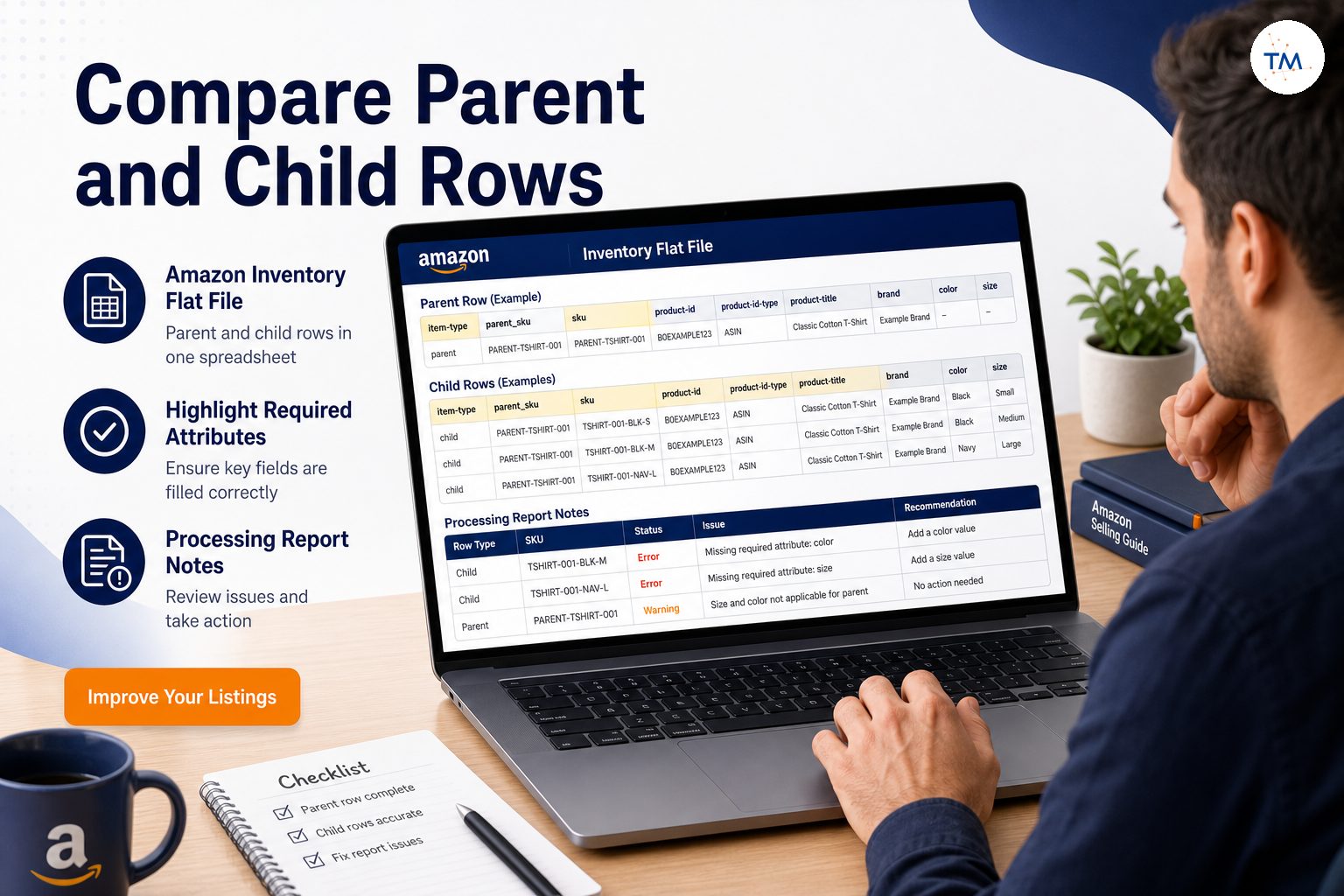
A processing report can show whether rows were accepted, rejected, or partially processed. Keep the report connected to the exact file and upload time.
Check Whether a Recent Submission Was Accepted or Rejected
An accepted submission may still need processing time, while a rejected submission requires correction. Do not repeatedly submit the same file without reading the result.
Compare the Public Page With Your Submitted Data
Check whether the title, images, brand, quantity, and variation values displayed publicly match what you submitted.
A difference may indicate processing delay or another catalog contribution.
Save Error Codes, Dates, and Affected SKUs
A clean record helps you identify patterns and prepare evidence for support.
Do Not Rely on One Dashboard View Alone
The inventory tab, listing-quality view, performance notifications, account health, and public product page may show different aspects of the same issue.
Use them together.
What Should You Check First When You Find a Suppressed Amazon Listing?
When you find a suppressed amazon listing, resist the urge to edit every visible field. First confirm whether the failure belongs to product data, images, the offer, a variation relationship, classification, or policy.
Start with the smallest set of questions that can identify the broken stage.
Confirm Whether the Product Can Be Purchased
Open the public page and verify whether a shopper can select the product and complete a purchase.
Read the Exact Suppression Reason
Do not start with a general search for how to fix suppressed listings. Read the account’s exact message first.
The same visible result can come from image, attribute, offer, relationship, or policy problems.
Identify the Field Connected to the Error
Find the named field and compare its current value with the real product. Look for missing values, unsupported formats, and conflicts.
Review the Most Recent Listing Change
A new file, title edit, image update, category change, or variation action may explain when the problem began.
Check Whether the Problem Affects One SKU or Many
One SKU suggests a product-level issue. Many unrelated SKUs may point to a bulk upload, account setting, or shared template problem.
Compare the Current Data With the Product’s Real Identity
The submitted information should accurately represent the product, package, brand, quantity, and intended use.
Confirm Whether the Issue Is Content, Classification, or Relationship Data
Send the problem to the correct workflow. Content, product type, parent-child data, offer status, and policy reviews should not be treated as interchangeable.
Avoid Changing Unrelated Fields
Do not edit healthy fields simply because the listing is suppressed. Controlled repairs create clearer results.
Small fixes create clearer results
Does the Error Affect One ASIN or the Entire Catalog?
The scope of the problem provides important evidence.
One Affected ASIN May Point to a Product-Level Problem
Check the specific image, attribute, offer, or relationship data for that product.
Several Related ASINs May Point to a Family-Level Issue
A shared parent, theme, brand value, or product type may connect the failures.
Many Unrelated ASINs May Point to a Bulk Update Problem
Review recent inventory files, feed submissions, or third party tools that changed several products.
One Marketplace May Have Different Data Requirements
Compare the local product type, accepted values, and policy conditions.
A Product-Type Change Can Affect a Group of Listings
When similar products receive the same new warning, review the shared classification.
A File Upload Can Create Repeated Errors Across SKUs
One cleared column or wrong update type can affect many rows. Stop further uploads until the processing report is understood.
Duplicate SKUs occur when a stock-keeping unit is already tied to another item. Because an existing SKU should not be reused for a different ASIN, review the SKU-to-ASIN relationship before submitting the file again.
Brand or Catalog Contributions May Affect Several Products
Brand changes, brand registry contributions, or updates from other sellers can affect a group of ASINs.
The Scope of the Error Should Control the Size of the Fix
Fix one product when one product is broken. Use a tested bulk process only when the evidence shows a repeated shared cause.
How Should You Review Recent Changes Before Fixing the Error?
A change log reduces guesswork.
Record What Changed and When
Note the date, editor, tool, field, and expected outcome.
Identify Which SKUs Were Included in the Update
Do not assume the file affected only the product you were watching.
Review the Upload Method or Editing Tool
Manual edits, inventory files, APIs, and third party tools can process data differently.
Compare the Previous and Current Product Data
Look for cleared fields, changed product types, altered brands, and new variation values.
Check Whether Category or Variation Changes Happened at the Same Time
A structural change can introduce new requirements or detach children.
Separate Catalog Changes From Offer Changes
Price, quantity, and fulfilment should be reviewed separately from product identity.
Look for Fields That Were Cleared Accidentally
A blank spreadsheet cell or partial update can remove existing data. Restore the verified value rather than adding unrelated content.
Build One Testable Explanation Before Editing Again
State the theory in one sentence, such as:
The child became suppressed because the main image was removed during the file update.
Then test the smallest correction.
How Should You Diagnose an Error Code or Validation Message?
The message should guide the investigation, not replace it.
Copy the Exact Message Before Closing the Page
Save the full wording and any field name, code, SKU, or submission ID.
Identify Whether the Error Is Required, Invalid, or Conflicting Data
Required means missing. Invalid means unsupported or incorrectly formatted. Conflicting means Amazon sees incompatible information.
Confirm Which SKU and Field the Message References
A parent warning and a child warning may require different actions.
Check Whether the Error Applies to the Parent or Child
Do not add buyable offer data to a non-buyable parent or variation values to the wrong row.
Review Whether the Value Is Supported for the Product Type
Use the current accepted values rather than a custom guess.
Separate a Warning From a Blocking Error
Not every suggestion suppresses the listing. Prioritize issues that actually block display or purchase.
Do Not Guess the Meaning From the Error Number Alone
Read the message and field context. The same number may be discussed online in situations that do not match your product.
Test the Smallest Valid Correction
Correct the named field, submit once, and record the result.
How Can You Fix Suppressed Listings Without Creating New Problems?
To fix suppressed listings safely, connect every change to a verified error message, affected field, and real product fact. The goal is to restore eligibility with the fewest possible edits, not to rebuild a listing that is mostly correct.
A safe repair process limits the number of variables.
Begin With the Smallest Verified Cause
Start with the field supported by the error message and product evidence.
Correct One Core Field at a Time
One controlled change makes it easier to understand whether the fix worked.
Restore Missing Data Before Adding New Content
If a valid value was removed, restore it. Do not replace a missing attribute with a full listing rewrite.
Use Accurate Values Supported by the Product Type
The accepted value must also be truthful. Technical acceptance does not justify inaccurate data.
Keep Shared Variation Data Consistent
Brand, product type, and base identity should remain aligned across valid children.
Avoid Rewriting the Entire Listing During a Technical Repair
Large edits can create new errors and make the original problem harder to trace.
Record the Submission Method and Time
Note whether you used manual editing, an inventory file, API, or support case.
Recheck the Same SKU After Processing
Use the same marketplace, delivery location, and public page.
Amazon can process some offer updates within 15 to 30 minutes, but product-information changes can take longer and may require up to 48 hours during heavy system load. Use the processing report and the type of update to decide when another check is reasonable.
Expand the Fix Only After the Result Is Clear
If the same verified cause affects more products, apply the tested correction carefully.
When Should You Use an Inventory File for Catalog Repairs?
Bulk tools are useful when the cause is clear and repeated.
Use flat files for bulk troubleshooting on Amazon when several SKUs share the same verified issue. A file-based repair should be tested on a small group first so one incorrect field does not spread across the catalog.
Use a File When Several Related SKUs Need the Same Correction
A file can provide a consistent update across a family or product group.
Use a File When Relationship Data Must Be Reviewed Together
Parent and child rows are easier to compare in one structured template.
Download the Correct Template for the Marketplace
Use the current product type and marketplace requirements.
Preserve Existing Valid Data Before Uploading
Export or record the current values before changing them.
Review Parent and Child Rows Separately
The parent connects the family; children carry buyable product and offer data.
Validate Required and Accepted Values
Check formats, controlled values, units, and variation fields.
Upload a Small Test Before a Large Catalog Update
Test one ASIN or one family before changing hundreds of products.
Read the Processing Report Before Making Another Change
Do not assume a completed upload means every row succeeded.
Do Not Use a Bulk File for an Unclear Problem
A bulk file can spread one wrong assumption across the catalog.
When Should You Avoid Editing a Suppressed Listing?
Sometimes the safest action is to stop and gather evidence.
The Exact Suppression Reason Has Not Been Identified
Do not change the listing based on a generic article or guess.
A Recent Update Is Still Processing
Repeated changes can delay diagnosis and overwrite valid data.
The Listing Is Controlled by Another Catalog Contribution
Your value may keep reverting because another source has stronger control.
When Intellectual Property Issues Require a Different Workflow
An intellectual property complaint, trademark dispute, copyright claim, or authenticity concern should be handled through the relevant notice and account workflow. Editing ordinary catalog fields will not resolve the underlying rights issue unless the notification specifically identifies incorrect product data.
Policy, safety, intellectual property, or account-level issues should not be treated as ordinary content errors.
The Product Is Actually Experiencing Low Ranking
A product that appears organically is not necessarily suppressed.
The ASIN Is Missing for Only One Search Query
Review indexing and relevance before editing the catalog structure.
The Offer Is Unavailable but the Product Data Is Correct
Correct price, stock, fulfilment, or condition instead.
Multiple Teams Are Editing the Same Listing
Pause changes and establish one owner. Uncoordinated edits can create conflicting contributions.
There Is No Record of the Current Product Data
Save the present state before making a risky change.
When Is Search Suppression Not the Real Problem?
A careful diagnosis prevents the wrong workflow from taking over.
The ASIN Is Indexed but Ranks Too Low
Low ranking is not suppression.
The Product Is Missing for One Weakly Relevant Query
One query may not match the product strongly enough.
The Offer Is Out of Stock
Restore valid inventory rather than changing product identity.
The Product Type or Browse Node Is Incorrect
Move the issue to the classification workflow.
A Child ASIN Has Detached From the Parent
Repair the variation relationship if the child remains a valid product.
The Listing Is Available in One Location but Not Another
Delivery eligibility and local offer conditions may change what shoppers see.
The Seller Is Confusing Sponsored and Organic Results
Paid placement and organic visibility should be reviewed separately.
The Public Page Has Not Updated Yet
Allow processing time before assuming the correction failed.
When Should You Escalate a Catalog Error?
Escalate when valid, supported data cannot be applied or retained.
Valid Data Is Repeatedly Rejected
Save the valid-value source, submission result, and affected SKU.
Amazon Keeps Restoring an Incorrect Value
Document the correct value and the repeated reversion.
The Product Data Is Controlled by Another Contribution
Conflicts from other sellers, unauthorized sellers, brand owners, or manufacturers may require catalog review.
The Error Message Does Not Match the Submitted Data
Provide the exact submission and visible error.
A Valid Product Type Cannot Be Applied
Show why the classification matches the real item.
Several ASINs Become Suppressed at the Same Time
Look for a shared file, policy event, product-type update, or account issue.
A Parent-Child Relationship Cannot Be Restored
Prepare the parent SKU, child ASINs, theme, and processing results.
The Listing Remains Suppressed After the Verified Fix
Confirm that the correction processed and that no second blocking issue remains.
Seller Support or a Catalog Specialist Is Required
Contact support with evidence, not a general request to find suppressed listings.
What Evidence Should You Prepare Before Contacting Seller Support?
A clear case reduces unnecessary back-and-forth.
Record the ASIN and Seller SKU
Include the marketplace and parent-child status.
Copy the Exact Error Message
Do not paraphrase a technical warning when exact wording is available.
Save the Date and Time of the Submission
This helps separate processing delay from rejection.
Identify the Field You Attempted to Correct
State the old value, new value, and why the new value is accurate.
Keep the Processing Report or Submission Reference
Attach or quote the relevant row and message.
Capture the Current Public Detail Page
Show whether the page, image, offer, or variation is missing.
Explain the Product’s Real Identity Clearly
Use one sentence that describes what the item is and what the customer receives.
Show the Valid Value You Submitted
Include the accepted-value source when relevant.
Describe the Expected Result in One Sentence
For example:
The child ASIN should return to the existing color-size family after the valid parent relationship is processed.
Which Catalog Error Mistakes Waste the Most Time?
Avoid these common patterns.
Rewriting the Entire Listing After One Error
One missing attribute does not justify changing every field.
Adding Random Values to Required Fields
Inaccurate data can create future suppression, customer complaints, and policy risk.
Changing Product Type Without Evidence
Classification should reflect the real product, not a desired search position.
Editing Parent and Child Listings Inconsistently
Shared family data should remain aligned.
Ignoring Processing Reports
A failed row will not become valid simply because the upload completed.
Submitting the Same Failed Update Repeatedly
Read and correct the cause before resubmitting.
Confusing Suppression With Lost Indexing
Use the ASIN-to-query workflow for indexing problems.
Treating Every Search Problem as a Catalog Error
Search visibility can weaken for reasons unrelated to suppression.
Updating Many ASINs Before Testing One
A small test limits risk.
Contacting Seller Support Without Exact Evidence
A vague case often receives a vague answer.

What Does a Healthy Amazon Catalog Listing Look Like?
Healthy listings are technically complete, consistent, and easy to audit.
The Product Is Active, Buyable, and Searchable
The public page works, the correct offer is available, and relevant shoppers can discover the product.
Required Attributes Are Complete and Accurate
There are no invented values or unresolved missing fields.
The Product Type Matches the Real Item
The required data and filters make sense for the product.
Titles, Images, and Structured Data Tell the Same Story
The content and catalog fields accurately represent the same item, package, and variation.
Parent and Child Listings Remain Consistent
The family contains only genuine options using a supported theme.
Offer Data Supports the Buyable Product
Price, quantity, condition, and fulfilment are valid for each child.
Use Prevention Strategies Before Warnings Become Blocking Errors
Effective prevention strategies include reviewing listing-health warnings, processing reports, image compliance, required attributes, variation consistency, and offer status before they interrupt visibility. Small scheduled checks are safer than emergency catalog-wide edits after suppression begins.
Regular listing health and inventory health reviews support prevention strategies.
Regularly check your Account Health dashboard weekly so unresolved policy warnings, restricted-product notices, or compliance problems do not remain unnoticed. High-volume sellers can use tools to automate monitoring of listing health, but automated alerts should support—not replace—manual review of the exact warning and affected ASIN.
Catalog Changes Can Be Traced and Reversed
The team records submissions, affected SKUs, and results.
The Team Knows When the Problem Belongs to Another Workflow
Indexing, ranking, classification, variation, policy, and account health issues are sent to the correct process.
Amazon Catalog Error and Search Suppression Checklist
Use this checklist before changing a suppressed listing.
Is the Listing Active and Buyable?
Check the public offer, not only the internal SKU.
What Exact Error or Suppression Message Is Shown?
Save the wording and code.
Which SKU and Field Are Affected?
Confirm whether the issue belongs to the parent, child, product data, or offer.
Is Required Product Information Missing?
Review product-type-specific fields and missing values.
Are Important Fields Sending Conflicting Signals?
Compare title, brand, product type, quantity, images, and variation data.
Is the Product Type Accurate?
Do not complete irrelevant requirements under the wrong classification.
Does the Main Image Match the Product?
Use compliant images that show the actual offered item.
Is the Parent-Child Relationship Valid?
Check parent SKU, theme, and unique child values.
Did a Recent Change Trigger the Problem?
Review files, tools, editors, and dates.
Does the Issue Affect One ASIN or Many?
Match the size of the fix to the scope of the cause.
Have You Corrected Only the Verified Cause?
Preserve unrelated valid data.
Did You Review the Result After Processing?
Check the internal status and public page.
Is Escalation Supported by Clear Evidence?
Prepare the ASIN, SKU, message, submission reference, and expected result.
Need help diagnosing suppression?
Testmarket can review your ASINs, SKUs, error messages, listing status, attributes, images, offer data, variations, and processing reports so you can fix the smallest verified cause.
Frequently Asked Questions About Amazon Catalog Errors and Search Suppression
Frequently Asked Questions About Amazon Catalog Errors and Search Suppression
An Amazon catalog error means product data could not be processed, validated, or displayed correctly. The issue may involve a required field, invalid value, conflicting contribution, image, relationship, or product type.
It generally means a listing is restricted from normal search discovery because an important requirement has not been satisfied. Review the exact account message before making changes.
Yes. An internal SKU or offer can appear active while the product has limited search visibility or another unresolved listing issue.
Yes. The shared detail page may still exist even when your offer or the listing’s normal discovery is restricted.
Suppression concerns a failed technical, data, offer, or policy requirement. Indexing concerns whether Amazon can retrieve the ASIN for a specific query.
The update may have removed a required field, introduced an invalid value, changed product type, altered a variation relationship, or replaced a compliant image.
Yes. Product-type-specific attributes can be required for normal listing display and discovery.
Yes. Missing or noncompliant main images can create visibility problems. Upload valid product images that accurately represent the item.
Yes. A new product type can introduce different required attributes, accepted values, and variation conditions.
A variation error can affect a child’s relationship, display, or data validation. Confirm whether the child is suppressed, detached, inactive, or simply out of stock.
No. Correct the verified field first and avoid changing unrelated content.
Processing time can vary by change and workflow. Record the submission time, review the processing result, and avoid repeated edits while the first correction is still being applied.
Use a file when the cause is clear, repeated across several SKUs, or easier to review in a structured parent-child format. Test a small set first.
Escalate when valid data is repeatedly rejected, an incorrect value keeps returning, the warning does not match the submission, or a verified correction does not restore the listing.
Testmarket can review the exact suppression message, affected ASINs and SKUs, listing status, required attributes, product type, images, offer data, variation relationships, recent submissions, processing reports, and public detail pages. The goal is to determine whether the issue belongs to catalog data, amazon listing suppression, indexing, classification, parent-child structure, offer availability, intellectual property, policy, or account health. That diagnosis helps the seller fix the smallest verified cause instead of changing the entire listing.
Wachsen Sie mit Testmarket
Starten Sie Produkte, sammeln Sie echte Bewertungen und führen Sie konvertierende Deals durch — kostenlos loslegen.