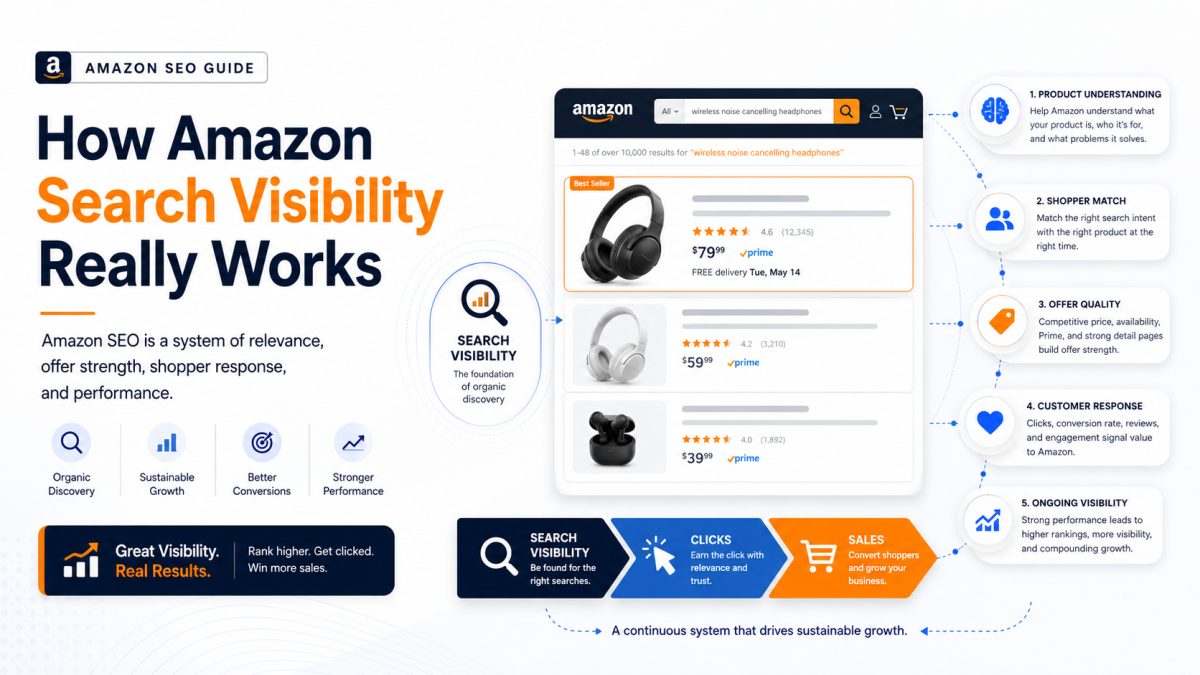



Amazon Product Indexing: Why ASINs Disappear From Search
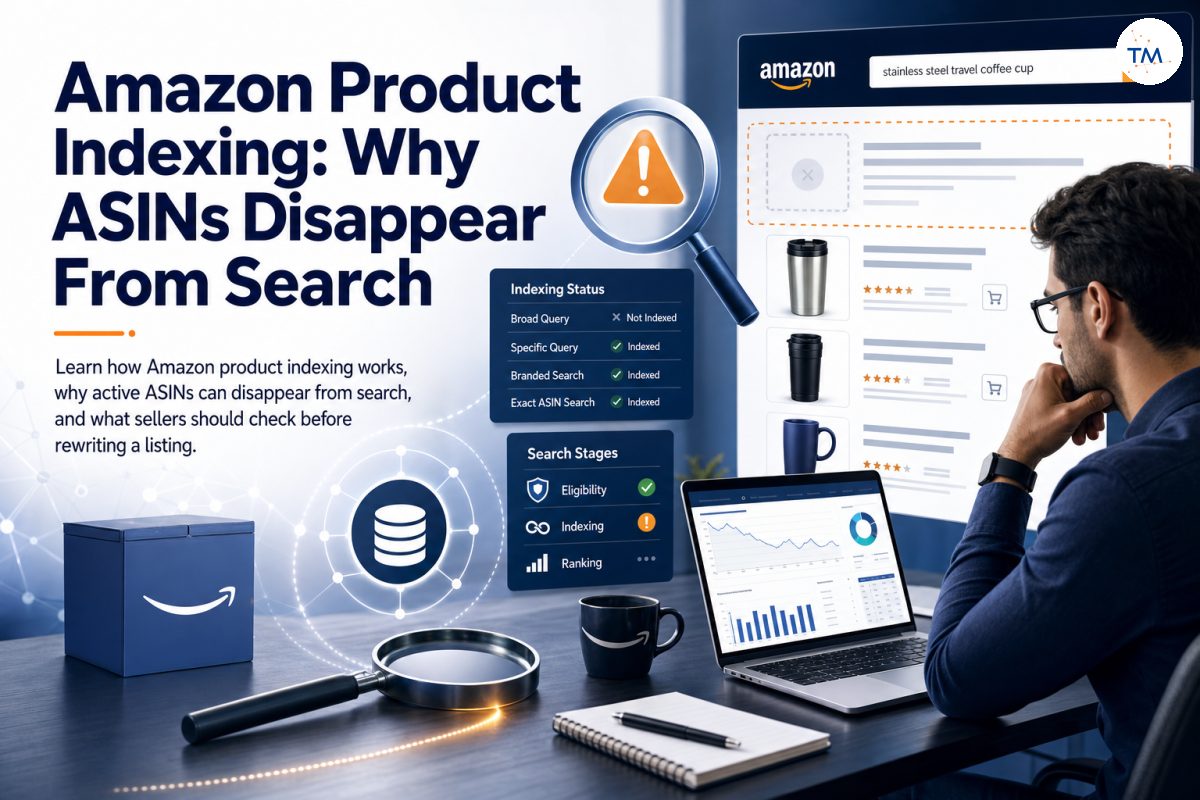
This guide explains how Amazon product indexing works, why ASINs disappear from search, and what sellers should check before making changes.
A product can remain active on Amazon and still disappear from important search results. For many Amazon sellers, this feels like a ranking problem, but the real issue may be indexing. Amazon may no longer connect the ASIN with a relevant query, even though the product listing and detail page are still live.
Indexing loss can become a silent killer because sales may decline without an obvious warning. The listing may still open through a direct link, yet customers cannot find it through Amazon's search bar. Before you change the title, add more backend keywords, or rewrite the entire page, you need to identify the real root cause.

What Does Amazon Product Indexing Actually Mean?
Amazon product indexing describes whether Amazon can connect an ASIN with a specific customer search. It is not a general score applied to the whole product. Your indexing status can be different for every query.
Indexing Connects an ASIN With a Search Term — The Role of an Amazon Keyword
When shoppers enter an Amazon keyword, Amazon tries to find products that match the meaning and purpose of that search. An indexed ASIN is eligible to appear for that term because Amazon understands a connection between the query and the product.
An Amazon keyword supports this connection only when the rest of the listing confirms the same product meaning.
Rufus AI uses semantic understanding for keyword indexing, so Amazon can evaluate the meaning and context behind a query instead of relying only on exact keyword repetition.
This connection may come from the title, attributes, product type, description, bullet points, or backend search data. However, simply placing specific keywords inside the listing does not guarantee indexing. The full product data must support the same product identity.
Key distinction
Indexing Does Not Guarantee a High Organic Position or Maximum Visibility
Indexing only means that the product can potentially appear. It does not mean that the product will appear near the top of the page.
Maximum visibility requires more than indexing because the product must still compete for placement after it becomes eligible.
High conversion rates can enhance product ranking in Amazon’s search results because strong shopper response helps Amazon separate similar indexed products.
A product can be indexed but remain behind stronger competitors. Relevance, shopper response, availability, recent sales, and sales velocity may all influence the visible position after the product becomes eligible.
Do not confuse a low organic position with lost indexing. Adding more terms or repeating the same phrase will not automatically improve the result.
An ASIN Can Be Indexed for One Query but Not Another
One ASIN may appear for a very specific query but disappear for a broader version. It may also appear for branded searches that include brand names while remaining absent from important non-branded searches.
For example, a product might appear for “stainless steel travel coffee cup” but not for “coffee cup.” The broad query creates a different context and stronger competition. Amazon evaluates each query separately rather than giving the product one universal search status.
Active Listings Are Not Automatically Indexed for Every Relevant Search — Even With a Live Detail Page
An active listing is not automatically connected with every phrase that a seller considers relevant. Amazon needs enough consistent product information to understand why the ASIN belongs in those results.
A live detail page confirms that the listing exists, but it does not prove that the ASIN is connected with every relevant query.
A listing may be active in Amazon Seller Central, available for purchase, and visible through a direct URL while still being absent for an important query. Activity and indexing are related but separate conditions.
Search Eligibility, Indexing, and Ranking Are Different Stages
Search eligibility asks whether the product is allowed to appear. Indexing asks whether Amazon connects the product with the query. Ranking determines where the eligible and indexed product appears.
A suppressed listing, unavailable offer, or serious policy issue can affect eligibility before ranking even begins. A correctly indexed product, on the other hand, may appear low because competing products perform better for that search.
Understanding these stages prevents random edits. First determine which stage is broken, and then choose the correct action.
Do not fix a ranking problem with indexing tactics, and do not fix an indexing problem with random rewrites.
Why Can an Active ASIN Still Be Missing From Search? Common Causes to Review
Most sellers assume that an active and buyable ASIN must automatically appear in all relevant search results. However, Amazon may keep the detail page live while removing the product from specific searches. The common causes include missing attributes, conflicting product data, weak query relevance, recent listing changes, category issues, and search suppression.
These common causes should be separated before the seller changes the listing.
Amazon May Not Connect the Product With That Query
The most direct explanation is that Amazon does not see a strong enough connection between the query and the product. The listing may mention the term, but the remaining data may describe a different use, type, audience, size, or material.
Search matching depends on context. A keyword placed inside a bullet point cannot always overcome conflicting product data.
The Search Term May Not Match the Product’s Main Identity — A Keyword Research Check
A seller may select target keywords based on high search volume without confirming that the terms accurately describe the product. This can create weak or unstable indexing.
Keyword research should confirm relevance before search volume is used to choose a target term.
High volume does not make a phrase relevant. Before adding a term, ask whether a customer using that query would reasonably expect to see the product. This is where proper keyword research must support the product’s real identity rather than chase traffic alone.
Important Product Context May Be Missing
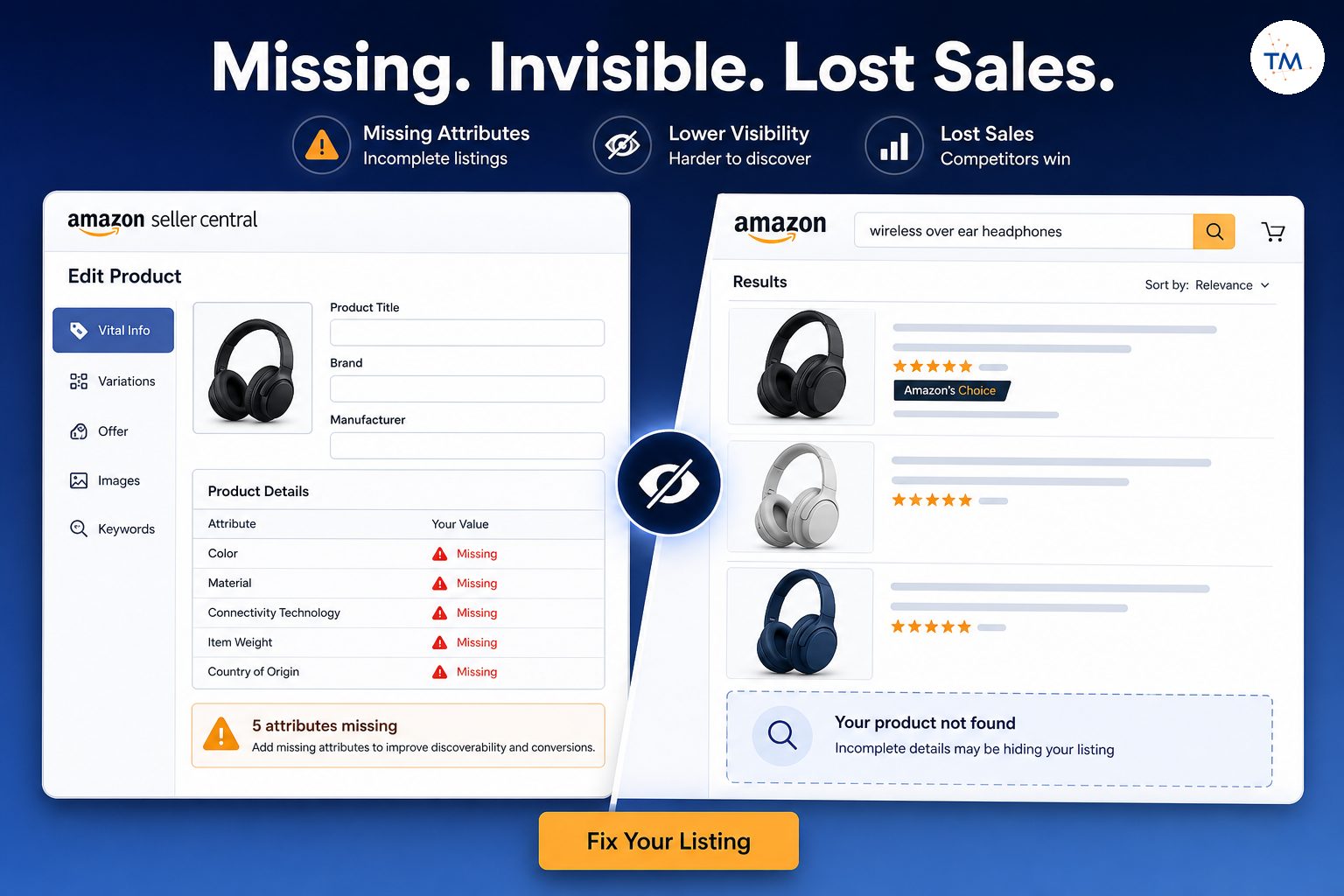
Amazon uses structured information to understand the product. Missing attributes such as material, compatibility, size, intended use, or product type can reduce clarity.
These fields may look less important than the visible title, but they provide essential context. Incomplete data can prevent Amazon from connecting the ASIN with searches that should logically fit it.
Conflicting Information Can Weaken the Connection
Conflicts between the title, description, attributes, product type, and backend data can make the product difficult to classify. One field may describe an accessory, while another describes the main product.
This type of conflict often appears after partial edits, category changes, variation updates, or copied content. The problem is not always a missing keyword. Sometimes Amazon receives too many different signals.
Recent Changes May Not Be Fully Processed Yet
Listing changes are not always reflected immediately. Amazon may need time to process updates across its catalog and search systems.
Amazon typically re-indexes listing changes within 24–48 hours, although processing time can vary depending on the field, marketplace, and catalog condition.
Avoid making another edit only because the result did not change within a few minutes. Every new update introduces another variable and makes the diagnosis harder. Record what changed, wait for processing, and test the same ASIN under similar conditions.
The Product May Be Visible for Other Queries
A missing result for one term does not prove that the entire product is unindexed. Test several closely related queries that represent different levels of detail.
A product that appears for specific terms but not broad ones may have a relevance or ranking limitation rather than a full indexing failure. The scope of the problem should determine the size of your response.
How Can You Tell Whether the Problem Is Really Indexing?
Do not start with a complete rewrite. Begin with one ASIN, one query, and one clear question: Is the product completely absent, or is it simply difficult to find?
Start With One ASIN and One Important Search Query
Choose a query that clearly represents the product’s main use. Do not begin with dozens of terms from a research tool.
Using one ASIN and one search gives you a controlled starting point. Once you understand what happens with that query, you can expand the review.
Check Whether the Product Appears at Any Organic Position With an Index Checker
Search beyond the first few results. A product that appears lower on the page is indexed but ranking weakly.
An index checker can support the review, but it should be compared with a manual search under consistent conditions.
Sellers can also check indexing by searching the ASIN together with the keyword and confirming whether Amazon retrieves the product for that exact combination.
Some index checker tools and Chrome extensions may help with initial observation, but they should not replace manual review and context. Tools can miss location, personalization, delivery, and marketplace differences.
The SellerSprite extension checks multiple ASINs simultaneously, which can make the first review faster when several products need to be tested.
Tool checks need context
Compare the Query With the Product’s Real Purpose
Ask whether the query accurately describes what the product is, not merely what it is related to. A product may be useful alongside another item without being a true match for that item’s main search.
This distinction helps prevent irrelevant optimization. More keywords cannot fix a weak product-to-query relationship.
Test More Specific Versions of the Search
Specific searches can show whether Amazon understands part of the product context. Add a real feature, size, use, or material that shoppers may naturally include.
This is not a process for finding new keyword opportunities. It is a diagnostic method for understanding whether the product has any meaningful search connection.
Separate Complete Absence From Low Ranking
An ASIN that appears at position 90 has a different problem from an ASIN that cannot be retrieved at all. The first may require deeper ranking or offer analysis. The second may point to indexing, product data, eligibility, or catalog issues.
Do not call every poor position an indexing failure. Confirm complete absence first.
Confirm That the Listing Can Be Purchased
Open the listing through a direct link and verify that the offer is available. Check the delivery location, inventory, price, and buying options.
A product may look active in seller central while customers cannot purchase it under certain conditions. Stranded inventory, offer errors, or availability restrictions can make a listing appear like an indexing problem.
What Is the Difference Between Lost Indexing and Weak Ranking?
Lost indexing and weak ranking can produce similar complaints, but they require different workflows.
Lost Indexing Means the ASIN Cannot Be Retrieved for the Query
When indexing is lost, the ASIN is completely absent for a search that clearly matches its identity. Amazon is not retrieving the product for that query.
The cause may involve missing context, conflicting data, an incorrect product type, or a technical catalog issue.
Weak Ranking Means the ASIN Appears Behind Stronger Results
Weak ranking means Amazon recognizes the connection but places other products first. Shoppers may prefer competing results, the offer may be weaker, or recent performance may not support a better position.
In this case, indexing is already working. The problem occurs after retrieval.
Adding More Keywords Does Not Always Solve Low Ranking
When a product already matches a search, adding more terms may not solve the ranking problem. Many sellers keep expanding backend data without checking whether the existing result is already indexed.
Keyword repetition can create clutter without improving the signals that separate the product from competitors.
An Indexed Product Can Still Be Difficult to Find
A product can remain technically indexed while appearing too low for most shoppers to notice. This is why visibility and indexing should not be treated as identical metrics.
Indexing is the entry point. It is not proof of maximum visibility.
One Search Test Is Not Enough to Diagnose the Problem
Search results can vary by marketplace, location, delivery conditions, device, and time. Repeat the test under similar conditions and review related searches before reaching a conclusion.
A single test can reveal a symptom, but it does not always identify the cause.
AMZDataStudio tracks keyword ranking progress with real-time data, but ranking movement should still be reviewed separately from indexing status.
Why Do ASINs Lose Indexing After Listing Changes?
A listing update can change how Amazon interprets the product. Even a small edit may remove context that previously supported a query.
Relevant Product Information May Have Been Removed
A title or bullet update may remove a material, use, feature, or compatibility detail that helped connect the ASIN with a search.
The removed words may not have been valuable only as keywords. They may have clarified the product identity.
New Content May Send a Different Product Signal During Listing Optimization
New text can shift the meaning of the listing. Content copied from competitors or generated without reviewing product data may describe a broader or different product.
Listing optimization should strengthen the existing product identity instead of introducing a new or conflicting one.
Good listing optimization should improve clarity. It should not make Amazon choose between several possible identities.
Avoid page-wide edits too early
Important Attributes May No Longer Support the Query
Attribute changes can weaken indexing even when the visible content looks correct. Size, material, target audience, compatibility, and intended use all help Amazon interpret context.
Review structured fields after any major content change. Do not focus only on what customers can see.
Several Fields May Now Describe Different Products
A title may describe one model while the attributes describe another. The description may mention a bundle that is not reflected in the product type.
These conflicts are common when teams update different sections separately. The more fields disagree, the harder it becomes for Amazon to understand the ASIN.

A Product Type or Category Change May Alter Search Context
Product type and category influence how Amazon organizes and interprets products. A change can affect the searches for which an ASIN is considered relevant.
Do not repeatedly switch categories to chase visibility. Incorrect category placement can create a deeper catalog problem and may cause the product to appear for the wrong searches.
Amazon May Need Time to Process the Update
Changes may move through several Amazon systems before appearing in search. Updating the page again too quickly can interrupt your ability to measure the first change.
Record the update time, wait, and compare the same query later. Controlled changes create useful evidence.
Which Product Fields Can Influence Search Indexing?
No single field controls indexing. Amazon uses multiple sources of product information to understand what an ASIN represents.
Amazon checks five primary listing fields for keyword indexing: the product title, bullet points, attributes, product type, and backend search terms.
Product Titles Help Establish the Main Product Identity
The title should clearly state what the product is. It should not become a storage area for every high-volume term discovered during research.
The product title has the highest indexing weight in Amazon’s algorithm, so it should communicate the main product identity clearly before supporting secondary search terms.
A clear title gives Amazon and customers the fastest explanation of the product. A confusing title weakens both search matching and shopper trust.
Bullet Points Add Supporting Product Context
Bullet points can explain features, materials, compatibility, size, use cases, and benefits. They support the main identity established by the title.
Avoid repeating the same words in every bullet. Each section should add useful context rather than duplicate the title.
Attributes Clarify Features, Size, Material, and Use — Review the Listing Quality Dashboard
Attributes are structured product data. They help Amazon understand details that may not be obvious from the visible copy.
The Listing Quality Dashboard can help reveal missing fields, but every suggested update should still be checked against the real product.
Missing or incorrect attributes can limit search connections and create filtering problems. They may also appear inside the Listing Quality Dashboard, where Amazon highlights incomplete product information.
Product Type Helps Define Where the ASIN Belongs
The product type gives Amazon a framework for understanding the item. It can influence required attributes, category placement, and relevant search context.
A wrong product type can make a good listing look irrelevant to the search system.
Backend Search Terms Can Support Relevant Search Connections — The Role of Backend Keywords
Backend search terms and backend keywords may support relevant queries that are not naturally included in visible content. They should reinforce the existing product identity rather than introduce unrelated traffic.
Backend keywords should reinforce relevant product context rather than introduce unrelated traffic.
Exceeding the 249-byte limit in backend terms can result in zero keywords being indexed from that field, so sellers should keep the entry within the allowed byte limit.
Avoid adding random competitor terms, unrelated brand names, or every phrase with attractive search volume. Backend data should improve clarity, not create contradiction.
Conflicting Fields Can Reduce Clarity
Amazon does not evaluate each field in isolation. The title, bullets, attributes, description, and product type should tell one consistent story.
Before trying to optimize listings, correct disagreement between fields. Clear information is often more useful than additional wording.
What Should You Check First When an ASIN Loses Indexing?
A controlled diagnosis saves more time than an immediate rewrite.
Confirm That the Listing Is Active and Buyable
Open the product page and test the offer from the shopper’s perspective. Check whether the item can be added to the cart and delivered to the selected location.
Also review inventory and offer status in Amazon Seller Central. A listing can exist while the purchasable offer is inactive.
Review the Exact Query That Lost Visibility
Record the exact query instead of writing “the product disappeared from Amazon.” Indexing problems are query-specific.
Small word changes can produce different search results, so keep the original wording for later tests.
Check Whether the Product Still Clearly Fits That Query
Review the query honestly. Sellers sometimes expect visibility because a term has good volume, not because it accurately describes the product.
If the query represents a different product type or shopper goal, the absence may be correct.
Review Recent Content and Attribute Changes
Look at the title, bullets, description, search terms, category, product type, and attributes. Identify what changed before the visibility loss.
Do not rely on memory. Keep a change log with dates and fields.
Look for Missing or Conflicting Product Information
Check whether important details were removed or replaced with broader language. Compare visible content with structured attributes.
A small conflict may explain why Amazon stopped connecting the ASIN with one group of searches.
Determine Whether One Query or Many Queries Are Affected
A single missing query usually requires a smaller investigation. Broad absence across many relevant terms may indicate a larger product data or technical problem.
The size of the problem should control the size of the fix.
Avoid Rewriting the Entire Listing Immediately
A full rewrite removes your ability to identify which field caused the issue. It may also create new problems.
Start with the smallest verified issue. Correct one core area, allow processing time, and then retest.
Does the Indexing Problem Affect One Query or the Whole Product?
Indexing should be reviewed at query level before being described as a product-wide failure.
One Missing Query May Point to Weak Relevance
If the ASIN appears for most relevant searches but not one broad term, Amazon may not consider the product a strong enough match for that query.
This does not always require a technical fix.
Several Missing Queries May Point to a Broader Data Change
If multiple closely related terms disappear after the same update, review the product identity and recent data changes.
The issue may come from a removed attribute, changed product type, or conflicting content.
Branded Search Visibility Can Hide Non-Branded Indexing Loss
A product may still appear when shoppers search the brand name. This can make the listing look healthy while discovery traffic declines.
Review non-branded queries separately. Branded visibility proves that Amazon can find the ASIN, but it does not prove strong general indexing.
Specific Queries May Still Work When Broad Queries Do Not
Longer searches often provide clearer intent. Amazon may connect the product with a precise phrase while excluding it from a competitive broad query.
That pattern may indicate weak broad relevance rather than total indexing loss.
Complete Search Absence May Require a Technical Review
If the product is absent across branded, non-branded, broad, and specific searches, review eligibility and technical status.
A search suppressed product, catalog conflict, or restricted offer can require a different workflow from normal content edits.
The Scope of the Problem Should Control the Size of the Fix
One missing query does not justify changing every field. A product-wide technical failure should not be treated as a small keyword problem.
Match the response to the evidence.
How Should You Review Recent Changes Before Fixing Indexing?
Every edit should have a reason, a date, and an expected result.
Record What Changed and When
Maintain a simple log of title, bullet, attribute, category, image, and backend changes. This helps connect visibility changes with possible causes.
Without a record, teams often repeat the same edits and create more uncertainty.
Compare the Current Product Identity With the Previous Version
Ask whether the current version describes the same product as clearly as the older version.
A more polished page is not automatically a clearer page. Editing can improve readability while removing essential product context.
Identify Which Fields Could Affect the Missing Query
Focus on fields connected to the lost search. A missing material term may point to attributes or product copy. A product-type issue may require catalog review.
Do not change unrelated areas only because they are easy to edit.
Check Whether Category or Variation Changes Happened at the Same Time
A category or parent-child update may affect how Amazon processes the ASIN. Child products can also behave differently after variation changes.
If every child ASIN did not lose visibility, compare their data before assuming the parent is the only cause.
Separate Content Changes From Technical Changes
A wording change and a catalog conflict require different solutions. Review edit history, Seller Central warnings, category information, and offer status.
This separation prevents teams from rewriting content when the real problem is technical.
Build a Clear Theory Before Making Another Edit
State your theory in one sentence: “The ASIN may have lost this query because the material attribute was removed.”
Then make the smallest change needed to test that theory. Do not edit first and invent the explanation later.
How Can You Restore Lost Indexing Without Creating More Problems?
Safe restoration is based on evidence, not volume of edits.
Begin With the Smallest Verified Issue
Correct the clearest problem first. This might be a missing attribute, inconsistent product type, or removed product detail.
A small controlled fix is easier to measure and reverse.
Restore Missing Product Context Before Adding New Terms
If useful product information was removed, restore that context before inserting new keyword variations.
The goal is not to add the maximum number of words. The goal is to help Amazon understand the product correctly.
Correct Conflicting Information Across Fields
Make sure the title, bullets, attributes, description, and backend data agree. Remove terms that describe another model, size, use, or product type.
Consistency improves both machine understanding and customer clarity.

Change One Core Area at a Time
Do not update the title, category, bullets, images, and backend terms in the same session unless a serious compliance problem requires it.
One major change at a time creates measurable results.
Allow Time for Amazon to Process the Update
Amazon may not refresh search connections immediately. Avoid repeated edits while the first change is still processing.
Use a consistent waiting and testing process rather than reacting emotionally to every search.
Recheck the Same ASIN and Query Under Similar Conditions
Use the same marketplace, location, query, and device conditions when possible. Changing the testing environment can create misleading comparisons.
Automated tools may help, but manual checks remain useful for validating what customers see.
Keep a Record of the Result
Note whether the ASIN returned, remained absent, or appeared at a low position. This result tells you whether to keep, improve, reverse, or escalate the change.
A record also helps avoid repeating failed fixes.
When Should You Stop Editing and Escalate the Problem?
Some issues cannot be fixed through copy changes.
The ASIN Is Missing Across Many Relevant Searches
Broad absence may indicate more than weak keyword relevance. Review product status, catalog data, and technical eligibility.
Do not continue adding terms when the listing cannot be retrieved at all.
Changes Are Not Being Accepted or Retained
If Amazon rejects updates or repeatedly removes them, another data contributor or catalog rule may be controlling the product information.
This may require Seller Support or specialist investigation.
Product Data Keeps Returning to an Older Version
Catalog data may be supplied by several sellers, brands, or systems. Your edits may not become the authoritative version.
Document the current page, your submitted changes, and the reversion before escalating.
The Issue Appears Connected to a Catalog Conflict
Incorrect product type, duplicated data, mismatched identifiers, or category conflicts may prevent normal updates.
This is no longer a simple listing optimization task.
A Parent-Child Relationship May Be Affecting the ASIN
Variation structures can influence child data, product display, and search behavior. A child may inherit incorrect information or appear under the wrong parent.
Do not separate or rebuild a variation without confirming the actual problem.
The Listing Appears Suppressed or Technically Restricted — Review Account Health
A suppressed Amazon listing may be missing required information or violating a rule. The product may also be search suppressed because of image, title, category, or compliance problems.
Account Health can help show whether the problem is connected to a policy, compliance, or listing-status issue.
Check Seller Central, the Listing Quality Dashboard, inventory status, notifications, and account health. Some businesses also use automated alerts to identify suppression issues before sales decline.
Stop editing when the issue is technical
Seller Support or a Specialist Review May Be Required
Escalate when the issue involves catalog ownership, technical restrictions, policy violations, or data that will not update.
Provide clear evidence: ASIN, query, screenshots, edit history, error messages, and the exact outcome you expected.
When Is Product Indexing Not the Real Problem?
Indexing is only one possible explanation for poor search visibility.
The ASIN Is Indexed but Ranks Too Low to Notice
The product may appear far below competing results. In this case, the search connection exists, but the position is weak.
Review ranking and shopper response rather than continuing to test indexing.
The Query Has Weak or Changing Shopper Demand
A product can maintain indexing while traffic falls because fewer customers search for the term.
Search volume, seasonality, and customer language can change. This is a keyword research or demand issue rather than lost indexing.
The Product Is Not a Strong Match for the Search Intent
Your product research may show demand in a category, but that does not mean every product belongs in every related query.
Amazon may correctly exclude the ASIN when the customer expects a different type, size, format, or use.
The Offer Is Unavailable for the Shopper
Inventory, location, delivery limitations, or pricing errors can affect what the shopper sees.
Products sold through Amazon Business may also have offer conditions that differ from normal consumer results. Confirm the shopper context before diagnosing indexing.
Location or Delivery Conditions Change the Visible Results
Amazon may show different products depending on delivery address, stock location, and marketplace availability.
Two people can search the same phrase and see different results. Always record the conditions used during testing.
Paid and Organic Placements Are Being Confused
Sponsored visibility does not prove organic indexing strength. Ads can place a product near the top even when its normal organic position is weak.
Separate paid and organic sections before recording the result.
The Seller Is Testing the Wrong Search Query
Many sellers test terms that describe the category but not the exact product. They may also use internal industry language that customers rarely use.
A poor query choice can create a false diagnosis.
Which Product Indexing Mistakes Waste the Most Time? A Warning for Amazon Sellers
Most indexing problems become harder when sellers act before identifying the broken stage.
Amazon sellers save time when they diagnose the broken stage before changing content.
Assuming Every Missing Position Means Lost Indexing
A product may be indexed but rank beyond the first page. Search deeper before calling it lost indexing.
This one distinction can prevent unnecessary edits.
Adding More Search Terms Without Confirming Relevance
More terms do not automatically create more visibility. Unrelated or weak phrases may blur the product identity.
Use relevant target keywords that customers would naturally connect with the product.
Rewriting Every Field at the Same Time
A full rewrite makes it impossible to know what fixed or damaged the indexing connection.
Experienced sellers optimize through controlled changes rather than constant page-wide updates.
Testing Only One Broad Keyword
Broad terms create heavy competition and unclear intent. Test a small group of specific searches that truly represent the product.
Do not rely on one generic query as proof of product-wide failure.
Ignoring Recent Product Data Changes
A recent title, attribute, product type, or variation update may explain the issue. Review history before starting new optimization.
The latest change is not always the cause, but it is the first place to investigate.
Treating Indexing as an Account-Wide Score
Indexing is not a single account metric. One ASIN may be indexed for several searches while another is missing from only one query.
Do not use overall account performance as proof of individual indexing health.
Expecting Every Child ASIN to Behave the Same Way
Variation children can have different attributes, inventory, product data, and search connections.
Test each affected child separately rather than assuming the entire family shares one status.
Waiting Without Recording What Was Changed
Waiting can be appropriate after an update, but passive waiting creates no useful evidence.
Record the change, expected outcome, test query, and review date. Without this information, waiting becomes guesswork.
What Does Healthy Amazon Product Indexing Look Like?
Healthy indexing means the product appears for searches that accurately represent its purpose.
The ASIN Appears for Searches That Match Its Real Identity
The product should be retrievable for terms that describe what it is, what it does, and who it is for.
It does not need to appear for every broad category phrase.
Important Non-Branded Queries Can Retrieve the Product
Brand traffic is useful, but healthy discovery should not depend only on the company name.
Relevant non-branded searches should also connect customers with the product.
Indexing Remains Consistent After Controlled Changes
Normal listing improvements should not repeatedly remove essential search connections.
When a change affects indexing, the team should be able to trace the likely cause.
Product Data Sends One Clear Message — Including the Main Image
The title, bullets, attributes, description, product type, and backend data should describe the same item.
The main image should support that same identity by showing the correct product clearly and following Amazon’s image requirements.
Using high-quality images can influence conversion and, through stronger shopper response, affect organic ranking.
The main image should also represent the actual product. In many categories, Amazon expects a pure white background, and image compliance can affect listing status. Missing images, blocked zoom functionality, or an incorrect image can also create quality or suppression issues.
Missing Queries Can Be Diagnosed Individually
The team should know which ASIN and query are affected. It should also know whether the issue is complete absence or low position.
This query-level view produces better decisions than broad assumptions.
The Team Knows When the Problem Is Not Indexing
Strong teams recognize when the issue belongs to ranking, offer strength, content, category, variation, compliance, or tracking.
They do not try to solve every visibility problem with keywords.
Technical Issues Are Sent to the Correct Workflow
Policy and compliance issues need special care. Unsupported pesticide claims, restricted product language, image violations, and other policy problems can cause suppression.
A suppressed listing linked to a compliance issue should not be treated as a normal SEO task. Identify the correct workflow and resolve the policy requirement first.
Amazon Product Indexing Checklist
Is the Listing Active and Buyable?
Open the page through a direct link and confirm that customers can purchase the item. Review inventory, offer status, delivery, and pricing.
For a new ASIN, confirm that the offer and product data are fully active before judging organic visibility.
Does the Query Clearly Fit the Product?
Ask whether the phrase describes the product’s main identity and shopper purpose.
Do not select the query only because free tools report high volume.
Is the ASIN Completely Missing or Simply Ranking Low?
Search beyond the first page and separate absence from weak position.
Traditional search checks can be combined with an index checker, but no single tool should be treated as final proof.
Did Any Product Data Change Recently?
Review the title, bullet points, description, attributes, product type, category, images, and backend search data.
Record when each change occurred.
Are the Title, Attributes, and Product Type Consistent?
These fields should describe the same product. Contradictory information weakens Amazon’s understanding.
Check for old model names, incorrect sizes, unrelated uses, and copied competitor text.
Does the Problem Affect One Query or Many?
Test a small set of important phrases. Separate branded, non-branded, broad, and specific searches.
This reveals whether the issue is narrow or product-wide.
Could Category, Variation, or Catalog Issues Be Involved?
Review whether the problem started after a category, product type, or parent-child update.
Technical suppression issues may require Seller Support rather than another copy change.
Have You Changed Only the Verified Problem Area?
Avoid editing every field at once. Correct the smallest confirmed issue and measure the result.
Controlled optimization protects the rest of the listing.
Did You Recheck Under the Same Search Conditions?
Use the same marketplace, delivery location, query, and similar timing.
Consistent testing makes the result easier to interpret.
Need help diagnosing ASIN visibility?
Testmarket can review indexing, ranking, product data, catalog signals, and suppression risk before you make another listing change.
Frequently Asked Questions About Amazon Product Indexing
Frequently Asked Questions About Amazon Product Indexing
Amazon product indexing is the connection between an ASIN and a search query. When a product is indexed, Amazon can retrieve it as a potential organic result for that query. Indexing does not guarantee a top ranking.
Search for the exact query and check whether the ASIN appears at any organic position. Also test specific variations that clearly match the product. Tools and Chrome extensions can support the review, but manual confirmation is still important.
Yes. A listing can be active and accessible through a direct link while remaining absent for one or more relevant searches. Activity, indexing, and ranking are different conditions.
Yes. Amazon evaluates the relationship between the product and each query separately. A product may be indexed for a specific phrase but not a broad or differently worded search.
Indexing determines whether the ASIN can appear. Organic ranking determines where the product appears among other eligible results. A product can be indexed but rank too low for most shoppers to notice.
The update may have removed important product context, changed the product identity, introduced conflicting information, or altered a structured attribute. Review the previous version before making another change.
Backend search terms can support relevant search connections, but they should match the real product identity. They cannot reliably compensate for an unclear title, incorrect attributes, or a wrong product type.
Yes. Category and product type changes can alter how Amazon interprets and organizes the product. Incorrect changes may weaken relevant search connections or create technical issues.
There is no universal processing time for every update. Allow Amazon time to process the change, then retest the same ASIN and query under similar conditions. Avoid making several new edits while the first update is still being processed.
Usually not as the first step. A complete rewrite creates too many variables and can damage search connections that are still working. Begin with the smallest verified issue.
Contact Seller Support when updates are rejected, product data keeps reverting, the ASIN is missing across many relevant searches, or the problem appears connected to catalog conflicts, policy violations, variations, or technical restrictions. Include the ASIN, query, screenshots, edit history, and relevant error messages.
Testmarket can review the ASIN at query level, separate indexing from weak ranking, and identify whether the likely cause comes from content, missing attributes, product type, catalog data, variation structure, or suppression. The goal is not to make random edits. It is to find the broken stage, correct the smallest verified issue, and protect the parts of the listing that already work.
与 Testmarket 一起提升销量
发布新品、收集真实评价、开展高转化促销活动——立即免费开始。